Welcome to Gaia! ::

Will you be visitng the Gaian Bon Festival on July 13th - 15th?

Whoa, gimme gold!! Yay! 0.31701030927835 31.7% [ 123 ]
Yes, of course!! 0.12886597938144 12.9% [ 50 ]
No way -_- 0.061855670103093 6.2% [ 24 ]
OMG, what festival!? I didn't know! (Checkout p709 ^_^) 0.49226804123711 49.2% [ 191 ]
Total Votes:[ 388 ]
1 2 3 4 5 6 ... 847 848 849 > >> >>> »|

User Image

= MOVED =

NEW SHOP THREAD!!

Click here!


ANNOUNCEMENT - ALL emote orders should now be up to date and sent except for customs. This includes ALL from the Emote Booth for the Bon Festival and regular orders made here!! Please let me know if you should have received your order and didn't.
User Image

-- To Affiliate - go to new shop thread!!


My Plushie Shop! --> User Image - Blocked by "Display Image" Settings. Click to show.
My B/C Shop! --> User Image - Blocked by "Display Image" Settings. Click to show.


User Image User Image User Image - Blocked by "Display Image" Settings. Click to show. User Image - Blocked by "Display Image" Settings. Click to show. User Image User Image - Blocked by "Display Image" Settings. Click to show. User Image - Blocked by "Display Image" Settings. Click to show. User Image - Blocked by "Display Image" Settings. Click to show.
User Image


User Image User Image - Blocked by "Display Image" Settings. Click to show. User Image User Image - Blocked by "Display Image" Settings. Click to show. User Image - Blocked by "Display Image" Settings. Click to show. User Image - Blocked by "Display Image" Settings. Click to show. User Image - Blocked by "Display Image" Settings. Click to show. User Image - Blocked by "Display Image" Settings. Click to show. User Image - Blocked by "Display Image" Settings. Click to show. User Image - Blocked by "Display Image" Settings. Click to show.


User Image - Blocked by "Display Image" Settings. Click to show. User Image User Image User Image User Image - Blocked by "Display Image" Settings. Click to show.


User Image - Blocked by "Display Image" Settings. Click to show.

User Image - Blocked by "Display Image" Settings. Click to show. User Image

User Image - Blocked by "Display Image" Settings. Click to show. User Image

User Image - Blocked by "Display Image" Settings. Click to show. User Image - Blocked by "Display Image" Settings. Click to show.
User Image User Image

User Image User Image - Blocked by "Display Image" Settings. Click to show.

User Image User Image - Blocked by "Display Image" Settings. Click to show.

User Image User Image


User Image User Image
User Image
User Image

All emotes in this post will be 100g each!

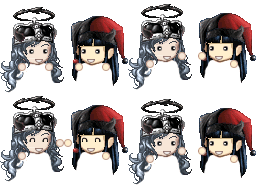
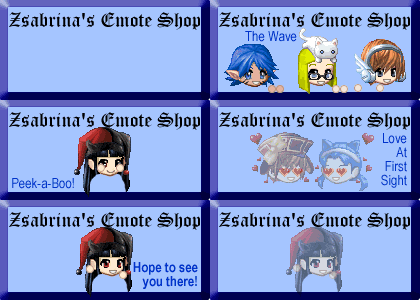
--- XD -------- Clap ----- Peek-a-Boo --- Grin ----- Love ----- Laugh
User Image User Image User Image User Image User Image User Image


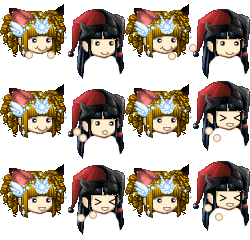
--- Dance ---- Confused --- Cry ------- Nod ----- OMG! ------ Pout -
User Image User Image User Image User Image User Image User Image


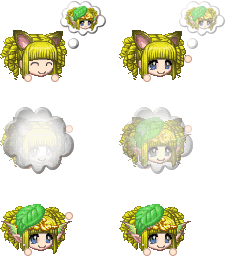
--- Pfft ------ Sing ----- Thinking ----- Wave - Blushing --- Blow Kiss -
User Image User Image User Image User Image User Image User Image


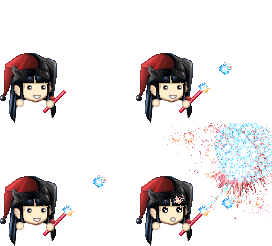
- Hehe! --- Whistle ---- Cannonball ----- Fireworks ------------- Angry Yell --- Dunno
User Image User Image User Image User Image User Image User Image


- Not Listening - Bat Eyelashes - BrokenHearted - Whew - Raise Eyebrow - Talk To The Hand
User Image User Image User Image User Image User Image User Image


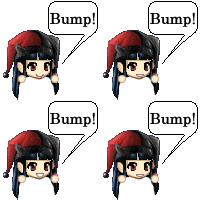
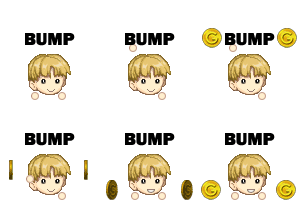
- Eye Roll --- Blow Hearts ---- Drowzzy ------ Blow Bubbles ---- Bump Bump -- Ninja Poof ---
User Image User Image User Image User Image User Image User Image


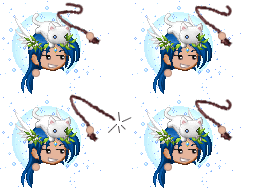
Sign Petition - Head Banging - Dizzy -- Flip Coin ----- Whip It! --- Poof Dream Avi *
User Image User Image User Image User Image User Image User Image
* Poofing into your Dream Avi requires an image of your Dream Avatar! (Must still meet requirements!)


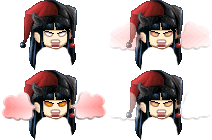
Ninja Whoops - Rage/Fume ----- Squee! --- Drool
User Image User Image User Image User Image


== Customizeable ==

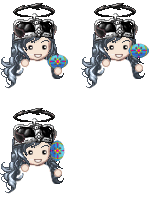
Water Flower (You can change the flower, but you -MUST- include a pic of the flower you want to use.) -----
User Image

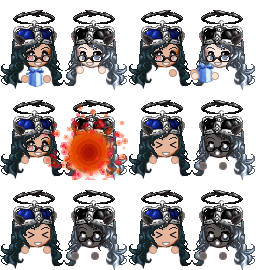
Snow Globe (Yes you can change the item/avatar within the globe. Remember to submit an extra image for this!! Also, I retain the right to edit/insert the image as needed)
User Image


Hat Magic (Yes you can change the item/avatar being pulled from the hat. Remember to submit an extra image for this!! Also, I retain the right to edit/insert the image as needed)
User Image


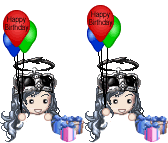
- Birthday Balloons (You can change the words in the balloons as long as it fits!) -
User Image


--- Talking (You can change color, fonts, words so long as it fits in the bubble!) -----
User Image


----- Sign (You can change color, fonts, words so long as it fits in the sign!) ------
User Image


== Seasonal ==

St. Patrick's Day
--- Find a Clover ---- Drink Green Beer ------
User Image User Image


Easter
--- Egg Bounce ------
User Image
User Image

All emotes in this post will be 200g each!

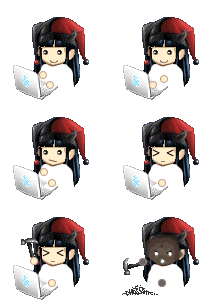
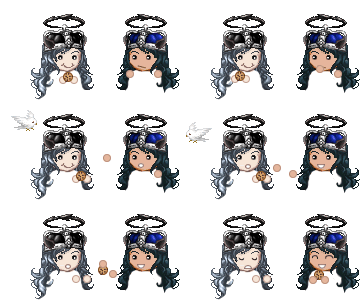
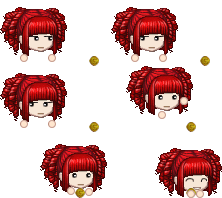
Cookie Sneak - Juggle ------- Giddy -------------- Twirl (requires a pic of your avatar from BEHIND also) --------
User Image User Image User Image User Image


----- Glomp -----------|-------- High Five ------|-------- Tickle ----------|------ HandKiss ----------|----- Exploding Gift* ----
User Image | User Image | User Image | User Image | User Image


Exploding Fireworks* -|- Coin Bump -|- Bubble Pounce -|- Smash Computer* -|- Steal Cookie
User Image User Image User Image User Image User Image


*: These emotes are for comical purposes ONLY. Do NOT do this in real life. =P


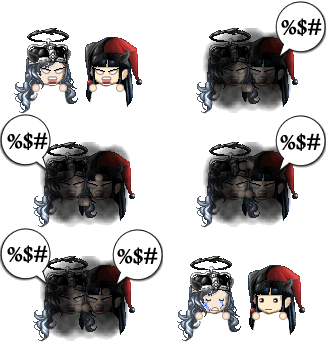
-------------- Fight --------------|- Trash Poof
User Image User Image


== Customizeable ==
MINE! (You can change the object of your desires. Instead of an avatar head it can be beer, rum, gold, whatever - but you -MUST- supply a picture of the item!!)
User Image

Receive Letter (You can change the font, color, and words in the letter, but it -MUST- fit in the letter size.)
User Image


Graffiti (You can change the font, color, and words in the letter, but it -MUST- fit in the available room.)
User Image


----- Pounce (Yes you can change the item/avatar being pounced on. Remember to submit an extra image for this!! Also, I retain the right to edit/insert the image as needed) ------
User Image


== Seasonal ==

St. Patrick's Day
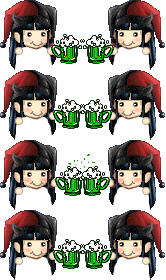
--- Green Beer Toast (Also available as single person toast for 50g) ------
User Image

Easter
--- Egg Hunt ------
User Image
User Image

All emotes in this post will be 300g each!

----- Stadium Wave (Want more people? Add an extra 200g per additional person.) ----------------
User Image

------- Nuzzle ------------
User Image

------- N00b Spray ------------
User Image
* You can change the words at the VERY end from "Good Spray" to whatever fits in the bubble.
** The "n00b" face is the Gaia DEFAULT male avatar when you first signup. Don't bug me about it being harrassment.
*** And to prevent harrassment by customers, NO, you CANNOT change the n00b avatar to something else. EVER.
User Image


- Follow Gaia's TOS!
- Do NOT PM me your order! Post it in the thread!!
- In fact, please try not to PM me at all. Ask your questions in the thread and I promise I will get to them and answer them fully to your satisfaction.
- When creating your Order provide an image of your avatar in the post. I will not confirm your order if you do not provide one!
- Avatar must be NAKED, except for head gear! I must be able to see your avatar's chin and face clearly. (Other items around the neck may or may not be allowed depending on the emote/animation you order.)
- Using TekTek.org's Dream Avatar Creator is the preferred method of getting your avatar ready for me.
- If an emote requires an image of the back of your head, since TekTek does not support backwards avatars, I do ask if you could help by making sure there is NO background in the image you give me.
- If your avatar is incorrect, you'll have to do it again.
- Do not beg, whine, flame in this thread. EVER.
- Please do not steal the emotes here, except when it is indicated that they are free for use.
- When you receive your order of emotes/animations please save them to your OWN image hosting service. (I.e. Photobucket) I will delete them regularly after every 30 days. -OR- when my bandwidth/album size is too high!
- I will -NOT- begin work on your emotes until the trade for your order is completed.
- Sending a trade and placing an order will give you an Order Slot. However, again, I will -NOT- actually do work on your emotes until the trade is confirmed and completed. If you do not confirm within a reasonable amount of time, I will give up your slot and cancel the trade.
- Prices subject to change.
- You can only order 8 Emotes at a time.
- You can only place another order -AFTER- I've finished your current order. (Whether I finish within an hour after you place, or within a week. ^_^)
- Emotes/Slots/Orders are on a first come first serve basis.
- No refunds whatsoever! Sorry, this is final.
- Please try not to stretch the forum out. I don't really like it. Heh.
- Rules subject to change based on behavior within the thread.
- Beginning March 19th 2007: If there is a problem with your order, because it does not meet the requirements for an avatar image, you will not be entitled to an order slot - you will be placed in a Pending List, where you will be placed at the end of the slots when your order is fixed. Also, I will not PM you to tell you what was wrong, if you wish to know, check back with the thread as I always give comments on your order within this thread. If you remain in the Pending List for more than 2 days, I will cancel your order and you'll have to resubmit. Sorry I have to do it this way, but pending orders are not -real- orders and are beginning to pile up a bit too much.
- This is an EMOTE SHOP! Not an avatar edit shop! I will not "create" your avatar from thin air just because you want to wear a mask on your face >.< Take OFF the mask. Easy. Simple. Everyone's happy. (Note: Depending on the emote you order, it doesn't exactly do a whole lot of good to buy an emote you'll never be able to see the expression of. Now would it? >.< wink
- DO NOT LINK TO GAIA'S IMAGE URL FOR YOUR AVATAR! If the URL to your avatar's image has "gaiaonline.com" in it towards the beginning, then this is NOT acceptable. Because if you use this URL, if you ever want to change your clothes before your order is done, I cannot guarantee you'll get the emote with the equipment you were wanting. That link's image dynamically changes when you change your outfit.
- If something was wrong with your order - DO NOT EDIT IT! QUOTE it then repost any changes!! If you edit your post, I am not going to dig it out to fill your order. Just reorder.
- Requests by management to ease the completion of your order, please use IMG tags instead of URL tags when submitting your avatar image. Also, we occasionally have problems with photobucket recently, please try and use another hosting service if possible. These are NOT rules, but kind requests.
- ALL trades go to Zsabrina Emote Mule User Image


Requirements for Avatar Image
1. Avatar must NOT have any item equipped on their back that extends beyond their chin.
2. I MUST be able to see their chin! Or, if wearing a mask, the DEFINITIVE line where their chin ends.
3. If you're wearing a scarf, neckace, or other neck item, I will -ATTEMPT- to add it with your emote, -NO- promises, -NO- guarantees. If it takes too much time, I will simply -ERASE- it from your emote.
4. Do -NOT- wear glasses, eye masks, or goggles of any kind. -OR- Give me an image of yourself With -AND- Without glasses so I can modify your avatar easier for your emotes. (Rule applies to ANYTHING that covers your eyes but may NOT cover your entire face!! -SOME- emotes can accomodate these items, some cannot!)
5. Do -NOT- wear anything that will cover your nose area.
6. Do -NOT- use your avatar's Inventory image because it has Gaia's background. (I've actually found that PM yourself or your mule and the image in the PM of your avatar is clean enough.)
7. ALSO, some equips of Magica Occulus put a background on your avatar, please don't use these equips!! Same rules apply to this item as apply to getting your "normal" eyes on your avatar!
8. Do -NOT- put anything on that goes in your mouth/on your mouth, they will just get deleted. If you want to be my friend and be on my nice list, then just don't have anything in your mouth and not force me to take time to clean it up. (Examples: Cig, Smoker, Mustaches, Teeth of any kind)


Again: NO TEETH!


--+--- Shop Moderators ---+--

Shatterestar - She is the new Assistant Emote Maker!! Hopefully, we can get more orders done together. But do NOT pester her about when things will get done >.<
karissal06 - She will be monitoring all orders that come in for accuracy. Mostly to help me with making sure avatar images are submitted according to the requirements above. ^_^
Lady_Death21 - She will be my Assistant in following up on Orders. If you're Info Pending or Trade Pending for too long, she's going to PM people and make sure things are taken care of for me ^_^
User Image

How do you make your emotes?
- I use Macromedia Fireworks. No, I won't teach you because it's easier to explain in person than via Internet. Sorry.

What's with the disclaimer?!? It's SO unfair!
- NO. What's unfair is I spend the time to give you information, rules, FAQs, and you SPIT ON ME by not reading them. Wise up and read people. I thought they still taught that in school to children? If you're thinking, "Oh sheesh, well, now YOU'RE being the jerk!", then obviously you were offended by my statements and do not consider yourself intelligent enough to abide by my simple requests. I do alot of work in this shop and for this shop, I only ask that you read, ignorance of what is already listed here on the front page is UNACCEPTABLE! If you have a question about -ANYTHING- on this front page, feel free to ask!! I am actually not that hard to get along with, but ignorance is forgiveable only to a point. Stupidity, well, you can't fix that sometimes. So now you think, "Oh, well, I'M the customer and YOU should do what -I- say!!", and I'll tell you, "Go find another shop to deal with then." I've worked in retail/customer service for 5 years in my life, prior to my current job, and you know what, even then I didn't take that kind of BULL from customers. I will work to HELP you, I am not your FRICKEN SERVANT! Because ultimately, your pixel gold is not even worth my time to deal with. I was more tolerant in real life to those customers because they gave me my WAY OF LIVING. You provide me nothing but mild amusement! Get a grip, get a life, and check yourself at the reality door.

How will I know when events are coming up?
- Stick around and check daily.

When do you hold events?
- When I'm bored.

How do you save emotes to "your own image hosting service"?
Quote:
If you right click the image, choose "Save Picture As..." - then save the image anywhere in your computer - do not change anything about them as you save. It's temporary for this part anyways, so just as long as you know where they are, that's fine.

Then go to www.photobucket.com or www.imageshack.com and sign up for an account. I use photobucket and like their service very much.

After you sign up, you can create albums/folders, etc. And browse to where you saved the images before and upload each one. icon_smile.gif It should be self-explanatory from there if you've ever added an attachment to an email before or similar.

After uploading, you have your own URL for the image now that you can use and post the image wherever you like ^_^


What happens if I have really long hair?
- Usually I'll trim a little bit, then reconstruct certain parts/pieces so it doesn't "feel" like there's something missing. Like the shoulders of avatars always make a definitive shadow/line. I fill back in enough hair to make it not seem like there "should" be shoulders there. ^_~ So, basically, I actually will do a bit of editting on your avatar image before it goes into an emote.

How does your order process work?
Quote:
1. You post your Order Form with everything filled out and include an image that meets the requirements.
2. Send the trade. (ALL trades go to Zsabrina Emote Mule User Image)
3. I confirmed the Order Form and confirm what you want in the forum here.
4. I will confirm the trade. This gives you an Order Slot and you are considered as Trade Pending status.
5. You confirm the trade. I will begin work on your order in the order it was received.
6. Your emotes are finished and I PM them to you.
7. You save your emotes to your own image hosting account. (Such as: www.Photobucket.com, www.ImageShack.com, etc.)


Will you do emotes based on an avatar image not on Gaia?
- Yes, but they must meet the requirements for a regular avatar.

What is the status of my order?

- The statuses I will use are as follows:
* Info Pending: There was a problem with your order, usually the avatar image did not meet requirements and/or there's missing information from your order. Please correct and reconfirm your order before I go and accept the trade.
* Trade Pending: You need to confirm the last step of the trade before I begin working on your order.
* In Progress: I am working on your order right now. I will probably not reply to this thread or PMs for a bit.
* Strikeout: Your order is done. Check your PMs.
* Note *: If your order is underneath someone's who has a strikeout or if your order is the first non-Trade Pending order, then I'll be working on yours next! Yay!

What kind of Avatar Image are you looking for?
- It's fairly simple the image MUST meet the following points:
Quote:
1. Avatar must NOT have any item equipped on their back that extends beyond their chin.
2. I MUST be able to see their chin! Or, if wearing a mask, the DEFINITIVE line where their chin ends.
3. If you're wearing a scarf, neckace, or other neck item, I will -ATTEMPT- to add it with your emote, -NO- promises, -NO- guarantees. If it takes too much time, I will simply -ERASE- it from your emote.
4. Do -NOT- wear glasses or goggles of any kind. -OR- Give me an image of yourself With -AND- Without glasses so I can modify your avatar easier for your emotes.
5. Do -NOT- wear anything that will cover your nose area.
6. Do -NOT- use your avatar's Inventory image because it has Gaia's background. (I've actually found that PM yourself or your mule and the image in the PM of your avatar is clean enough.)
7. ALSO, some equips of Magica Occulus put a background on your avatar, please don't use these equips!! Same rules apply to this item as apply to getting your "normal" eyes on your avatar!
8. Do -NOT- put anything on that goes in your mouth/on your mouth, they will just get deleted. If you want to be my friend and be on my nice list, then just don't have anything in your mouth and not force me to take time to clean it up. (Examples: Cig, Smoker, Mustaches, Teeth of any kind)


My emotes suddenly disappeared and don't show up anymore. What happened?
- Did you save them to your own image hosting service? If so, ask them to see why. If not, then I DELETED them to make room. Per the rules above! If you want your emotes back, you'll have to re-order the emotes again.


Why is it so important to save the images to my own image hosting?
- Because when you link to my album, the URL of the image that I send you, you're using -MY- album's bandwidth. Everytime that image is viewed by someone, anywhere in the world, bandwidth is deducted from -MY- account. Why is that bad?? Because, if you use up my bandwidth, I am not able to properly provide for other customers or be able to display my emotes in my shop. Also, using someone else's bandwidth in such a way, is THEFT.

What are the best times to place orders?

- Anytime, but generally during the week. My weekends can be erratic.

How long does it usually take you to fill orders?
- Generally, I begin working on emotes in the order the order was placed based on whose trades have gone through already or not. I work during the day on a computer, when I get home, I sometimes do not want to stare at a computer again. So please be patient as I work through the list.

A bit about me: I work a regular 40 hour per week job. I have a home that I own and maintain. I have a life outside of the computer!! As do most people. I will do the orders as fast as I can, because that is how I like to do business. However, I will -NOT- ever let Gaia or this shop rule my life or dictate my real life actions/needs. So, please, be patient, and do not whine to me about not working on emotes fast enough or that you did not get your emote yet. Understand and follow the statuses as given above and I GUARANTEE you -WILL- get your emote. Unless something unforeseen happens. I am not above refunding money on an order if you cannot be patient because your impatience and stress is not worth enough pixels in the world to me.

NOTICE: I have a new assistant helping me with orders. What does this mean for turnover time for orders?? If your order is a custom or has more complicated emotes, it may or may not get completed in the order it was received. I'm sorry if this upsets some people, but the complicated emotes will be done by me, Zsabrina, personally and if my time is tight for that period then it will be delayed.

Can I request to have different text inside of Speaking Bubbles or Signs?
- Yes, but text MUST fit the bubble or sign. Quality of Emote will be based on what you request to have in it. Please note what you'd like it to say in your Order Form.

How will I know when new emotes or new updates are made?
- Be watchful of my signature as I will try to make updates there as well. But the best way is to SUBSCRIBE to the thread and check on it every so often.

How will I know which emotes are new?
- I will Announce them in the NEWS section in the first post. I will list out which emotes are new there, beyond that you'll have to find them.

I sent the trade now what?
- I will confirm your trade and begin working on your emotes in the order they were received.

What happens when you're done?
- I will PM you the emotes you ordered.

Will you do custom work?
- Yes, prices based on complexity and timeframe of the emote. Samples of past custom work:
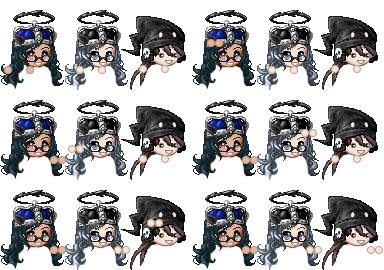
User Image User Image User Image
NOT FOR SALE!!!!
** Previously ordered custom work is NOT FOR SALE except if given permission by the original purchaser, who therefore has the rights to the IDEA of the emote!

But I always wear glasses, is there anything you can do?
- Submit an avatar -with- your glasses and without. I will confirm your order and let you know what emotes you want will or will not work with it. Basically though, if the emote you want has eyes that need to be a particular shape or will need to "move", then this will NOT be possible within the time I'm willing to spend. Sorry.

Can I have my "real" eyes instead of the beady ones in my emotes?
- Indicate your preference somewhere in your order form and I will see what I can do. Read above question for explanation/more info.
User Image

= May 13th 2007 =
ALL trades go to Zsabrina Emote Mule
User Image


[size=22][color=blue]-----+- NEW ORDER! -+-----[/color][/size][color=indigo]
Username:

Date Ordered:

Sent Trade?:
Did you send the trade to [b]Zsabrina Emote Mule[/b]?:
Did you read and understand the avatar image submission rules?:
(If you don't understand, ask in the thread!)
(Lying to the above answer results in auto-cancel of order)
(Lying is proven by your lack of understanding to submit correct avatar images.)

Emotes: (Write these in a LIST as follows:)
Emote1 - ***g
Emote2 - ***g
Emote3 - ***g
Emote4 - ***g
Emote5 - ***g
Emote6 - ***g
Emote7 - ***g
Emote8 - ***g

Total Purchase: ****g

Avatar to Use: (Put an image of your avatar here!)

Comments:
[/color][size=22][color=blue]-----+- ========== -+-----[/color][/size]


Be as specific as possible in your Comments please. I am not a mind-reader and if you want something done in a particular way, let me know. We can "hammer out" details before I confirm your order, not a problem, but do not assume I know what you'll want. Thanks!

* Send trade immediately after submitting the Order Form. You order is not officially placed until I confirm your trade. User Image
** Please include page number where your Order Form is in your Trade Message.
*** Reminder: Save your emotes to your own image hosting. (i.e. www.photobucket.com)


User Image - Blocked by "Display Image" Settings. Click to show.
Comment with them if you like after we deliver your order ^_^
User Image

User Image
(47 kb)
[url=http://tinyurl.com/2uaesk]
[img]http://tinyurl.com/23eynt[/img]
[/url]


User Image
(13 kb)
[url=http://tinyurl.com/2uaesk]
[img]http://tinyurl.com/ysfeqk[/img]
[/url]


User Image
(9 kb)
[url=http://tinyurl.com/2uaesk]
[img]http://tinyurl.com/yqn3yz[/img]
[/url]


= Fan Club Buttons =

I had nowhere else to put these so they're going here for now. lol These are just for fun! A gag off something that ashes_of_phoenix said once ^_^

User Image

[IMG]http://i139.photobucket.com/albums/q281/ashaela/EmoteShop/FanClubButton.gif[/IMG]


User Image

[IMG]http://i139.photobucket.com/albums/q281/ashaela/EmoteShop/MiniFanClubButton.gif[/IMG]
User Image

-- Currently not accepting anymore affiliates for a bit.


My Plushie Shop! --> User Image - Blocked by "Display Image" Settings. Click to show.
My B/C Shop! --> User Image - Blocked by "Display Image" Settings. Click to show.


User Image User Image User Image - Blocked by "Display Image" Settings. Click to show. User Image - Blocked by "Display Image" Settings. Click to show. User Image User Image - Blocked by "Display Image" Settings. Click to show. User Image - Blocked by "Display Image" Settings. Click to show. User Image - Blocked by "Display Image" Settings. Click to show.
User Image


User Image User Image - Blocked by "Display Image" Settings. Click to show. User Image User Image - Blocked by "Display Image" Settings. Click to show. User Image - Blocked by "Display Image" Settings. Click to show. User Image - Blocked by "Display Image" Settings. Click to show. User Image - Blocked by "Display Image" Settings. Click to show. User Image - Blocked by "Display Image" Settings. Click to show. User Image - Blocked by "Display Image" Settings. Click to show. User Image - Blocked by "Display Image" Settings. Click to show.


User Image - Blocked by "Display Image" Settings. Click to show. User Image User Image User Image User Image - Blocked by "Display Image" Settings. Click to show.


User Image - Blocked by "Display Image" Settings. Click to show.

User Image - Blocked by "Display Image" Settings. Click to show. User Image

User Image - Blocked by "Display Image" Settings. Click to show. User Image

User Image - Blocked by "Display Image" Settings. Click to show. User Image - Blocked by "Display Image" Settings. Click to show.
User Image User Image

User Image User Image - Blocked by "Display Image" Settings. Click to show.

User Image User Image - Blocked by "Display Image" Settings. Click to show.

User Image User Image


User Image User Image
User Image
User Image

The Emotes in this post are free to use by anyone for any purpose WITHIN the GaiaOnline site, per the TOS. I am not responsible for how -you- use them. They are absolutely, 100% free, made by myself for use ^_^

** NOTE **
PLEASE remember to save these images to your OWN image hosting service if you plan to use them. They are FREE but if you hotlink to my service (which is BANDWIDTH THEFT) then I will EAT you! xp


User Image User Image User Image User Image User Image User Image User Image
User Image

ALL images in this post are -MY- personal property!! Do -NOT- steal them or I will report you! Some of them were gifts, prizes, freebies and/or things I've bought with my HARD-EARNED GOLD. I wanted to have a place in my shop to display them. (NOTE: These are also displayed in my profile, above rules still apply, NO STEALING!)


Pets are now Available for viewing here!


User Image - Blocked by "Display Image" Settings. Click to show.

Gifts! ^_^
User Image

User Image - Blocked by "Display Image" Settings. Click to show.

User Image

User Image - Blocked by "Display Image" Settings. Click to show.

User Image <-- Scooped this one up from the Chef's apron when I won the 1st Customer of the Month lapdance in May 2007 xd
User Image

SMART people read rules. SMART people know that asking questions is NOT dumb if the question is -NOT- answered in the rules/faqs -OR- if they want to clarify smething! STOP being an a** and making me make my rules bigger and bigger! >.<
Official Opening!!!
heart

Quick Reply

Submit
Manage Your Items
Other Stuff
Get GCash
Offers
Get Items
More Items
Where Everyone Hangs Out
Other Community Areas
Virtual Spaces
Fun Stuff
Gaia's Games
Mini-Games
Play with GCash
Play with Platinum
//
//

Join Now

// //

Have an account? Login Now!

//
//