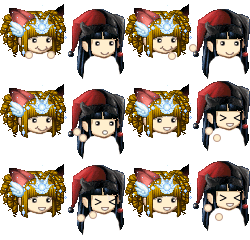
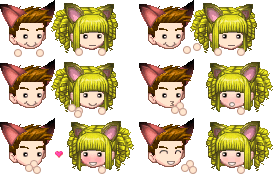
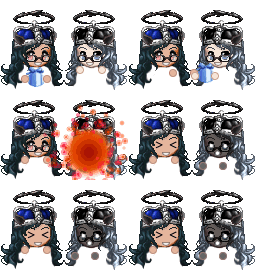
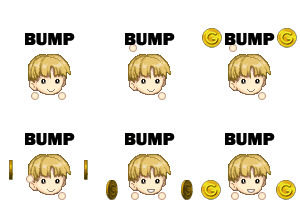
Welcome to Gaia! ::


User Image - Blocked by "Display Image" Settings. Click to show.

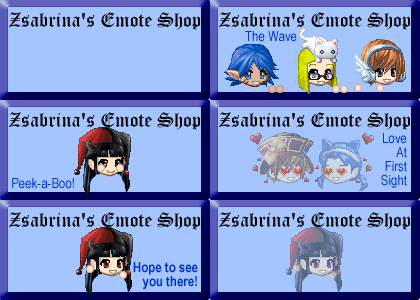
Zsabrina's Emote Shop

User Image - Blocked by "Display Image" Settings. Click to show.


Aug. 12 2008 : SHOP CLOSED
I may or may not reopen this shop in future, if I do, it will not be in this thread, but elsewhere by invite only.
All orders are sorted except for a custom for Sir Barton, which will be completed or refunded as he wishes. I'm REALLY sorry for the delay on that, but life and other things have been keeping me busy.

Please do not bump this thread any longer or revive it. I'm very thankful to everyone who supported me while it was open in this thread and its previous. I'm sorry it ended how it did, I would've liked cleaner closure than letting it drift away.

Take care everyone!! Many thanks again to all supporters of this shop heart


** Bumpers please read post #2!!


Tables of Contents:
1. Intro/News <-- You are here!
2. Events/Contests
3. Samples 100g
4. Samples 200g
5. Samples 300g
6. Rules
7. FAQs
8. Avatar Image Requirements
9. Order Form
10. Banners
11. Affiliates
12. Freebies
13. Credits & Staff
14. -Reserved-
15. -Reserved-


Read EVERYTHING in RULES, REQUIREMENTS, FAQs, and ORDER FORM sections at the VERY least. If you don't then you won't get ANY emotes from this shop!

Disclaimer: I am reserving the right to refuse anyone's order! Why? Reasons include: Illiteracy on your part to read my rules, ignorance on your part to read the rules, rudeness of any kind whether directed at me or in general, and mostly because I'm tired of dealing with people who are the above. Thanks! (More details in FAQs section)


User Image
2007 July 24: Moved Shop to new Thread, this one!
2007 June 1: Opened up a Booth selling a LIMITED TIME emote! More Information available HERE!
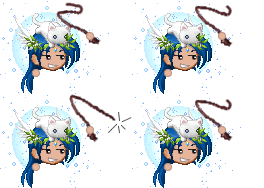
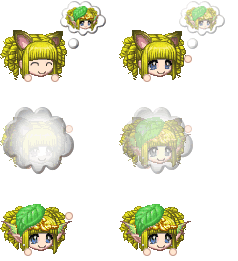
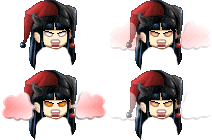
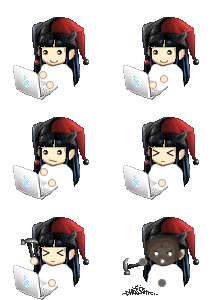
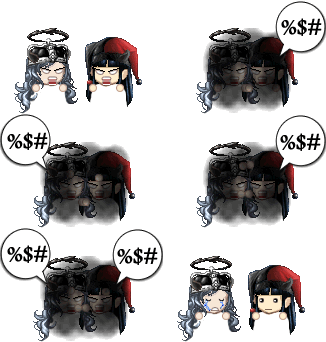
2007 May 8: 10 New Emotes! (N00bSpray, Fight, TrashPoof, Squee, Rage, Ninja Whoops, Poof Dream Avi, Pounce, Whip It, Drool)
2007 Apr. 11: NEW Assistant Emote Maker, Shatterestar!!!
2007 Apr. 4: Added new Disclaimer.
2007 Mar. 28: NEW Mini Event to win a Kitty Plushie coming SOON!!
2007 Mar. 21: Update to Rules and Avatar Image Requirements.
2007 Mar. 19: New Rule about "Info Pending" Orders
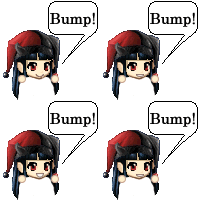
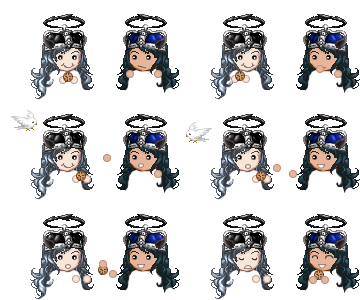
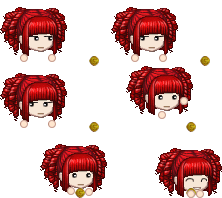
2007 Mar. 18: 14 New Emotes! (Coin Bump, Bump Bump, Receive Letter, Ninja Poof, Bubble Pounce, Sign Petition, Smash Computer, Graffiti, Water Flower, Head Banging, Dizzy, Flip Coin, Steal cookie, MINE!)
2007 Mar. 17: Change to prices!
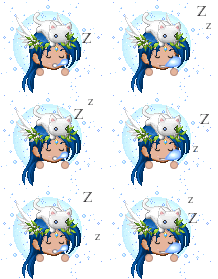
2007 Mar. 13: 5 New Emotes! (Blow Hearts, Blow Bubbles, Drowzzy, Snowglobe, Hat Magic) -- Also, updates to rule concerning re-order time! Updates to FAQs and update to rules concerning saving emotes to your own image hosting.
2007 Mar. 12: Updates to FAQs and Rules.
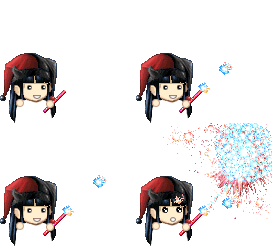
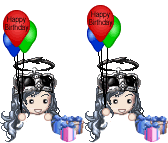
2007 Mar. 10: 13 New Emotes! (Cannonball, Exploding Present, Handkiss, Birthday Balloons, Fireworks, Exploding Fireworks, Not Listening, Bat Eyelashes, Broken Hearted, Whew, Raise Eyebrow, Talk to the Hand, Eye Roll)
2007 Mar. 09: Freebie Emotes were added!
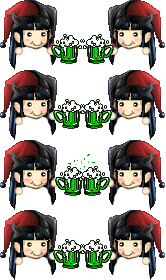
2007 Mar. 07: 8 New Emotes! (High Five, Dunno, Hehe, Whistle, Tickle, Nuzzle, Drink Green Beer, Toast Green Beer)
2007 Mar. 06: Updates/Changes to FAQs and Rules section.
2007 Mar. 04: 2 New Emotes! (Glomp, Pout)
2007 Mar. 03: 9 New Emotes! (cookie Sneak, Find a Clover, Easter Egg Hunt, Easter Egg Bounce, Blushing, Talking, Sign, Blowing Kisses, Angry Scream)
2007 Mar. 02: Opened up shop!


Order Slots ( updated: 2007 November 17th[EST] )
--- NO SLOTS ---
* Check your PMs and Trades if you were on this list before


Bribe Slots (PM Shatterestar directly for -ANY- kind of bribe work. She will accept or deny, that is her choice):
1.
2.
3.

Info Pending List


User Image - Blocked by "Display Image" Settings. Click to show.

Events & Contests

User Image - Blocked by "Display Image" Settings. Click to show.


Mega Bumper's Prize:
CLOSED!
Aug. 12th 2008 : Anyone who has bumped towards this prize in the past, and did not get any emotes for it, please PM my MAIN ACCOUNT, Zsabrina, and you'll get a gold equivalent of what the prize was. The prize was 5 basic emotes, you'll earn 500g, or more, but not less no matter how many bumps you did!


User Image - Blocked by "Display Image" Settings. Click to show.

100g Samples

User Image - Blocked by "Display Image" Settings. Click to show.


--- XD -------- Clap ----- Peek-a-Boo --- Grin ----- Love ----- Laugh
User Image User Image User Image User Image User Image User Image


--- Dance ---- Confused --- Cry ------- Nod ----- OMG! ------ Pout -
User Image User Image User Image User Image User Image User Image


--- Pfft ------ Sing ----- Thinking ----- Wave - Blushing --- Blow Kiss -
User Image User Image User Image User Image User Image User Image


- Hehe! --- Whistle ---- Cannonball ----- Fireworks ------------- Angry Yell --- Dunno
User Image User Image User Image User Image User Image User Image


- Not Listening - Bat Eyelashes - BrokenHearted - Whew - Raise Eyebrow - Talk To The Hand
User Image User Image User Image User Image User Image User Image


- Eye Roll --- Blow Hearts ---- Drowzzy ------ Blow Bubbles ---- Bump Bump -- Ninja Poof ---
User Image User Image User Image User Image User Image User Image


Sign Petition - Head Banging - Dizzy -- Flip Coin ----- Whip It! --- Poof Dream Avi *
User Image User Image User Image User Image User Image User Image
* Poofing into your Dream Avi requires an image of your Dream Avatar! (Must still meet requirements!)


Ninja Whoops - Rage/Fume ----- Squee! --- Drool
User Image User Image User Image User Image


== Customizeable ==

Water Flower (You can change the flower, but you -MUST- include a pic of the flower you want to use.) -----
User Image

Snow Globe (Yes you can change the item/avatar within the globe. Remember to submit an extra image for this!! Also, I retain the right to edit/insert the image as needed)
User Image


Hat Magic (Yes you can change the item/avatar being pulled from the hat. Remember to submit an extra image for this!! Also, I retain the right to edit/insert the image as needed)
User Image


- Birthday Balloons (You can change the words in the balloons as long as it fits!) -
User Image


--- Talking (You can change color, fonts, words so long as it fits in the bubble!) -----
User Image


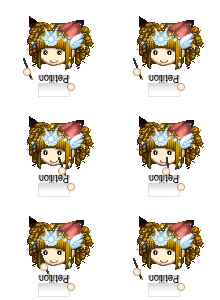
----- Sign (You can change color, fonts, words so long as it fits in the sign!) ------
User Image


== Seasonal ==

St. Patrick's Day
--- Find a Clover ---- Drink Green Beer ------
User Image User Image


Easter
--- Egg Bounce ------
User Image


User Image - Blocked by "Display Image" Settings. Click to show.

200g Samples

User Image - Blocked by "Display Image" Settings. Click to show.


Cookie Sneak - Juggle ------- Giddy -------------- Twirl (requires a pic of your avatar from BEHIND also) --------
User Image User Image User Image User Image


----- Glomp -----------|-------- High Five ------|-------- Tickle ----------|------ HandKiss ----------|----- Exploding Gift* ----
User Image | User Image | User Image | User Image | User Image


Exploding Fireworks* -|- Coin Bump -|- Bubble Pounce -|- Smash Computer* -|- Steal Cookie
User Image User Image User Image User Image User Image


*: These emotes are for comical purposes ONLY. Do NOT do this in real life. =P


-------------- Fight --------------|- Trash Poof
User Image User Image


== Customizeable ==
MINE! (You can change the object of your desires. Instead of an avatar head it can be beer, rum, gold, whatever - but you -MUST- supply a picture of the item!!)
User Image

Receive Letter (You can change the font, color, and words in the letter, but it -MUST- fit in the letter size.)
User Image


Graffiti (You can change the font, color, and words in the letter, but it -MUST- fit in the available room.)
User Image


----- Pounce (Yes you can change the item/avatar being pounced on. Remember to submit an extra image for this!! Also, I retain the right to edit/insert the image as needed) ------
User Image


== Seasonal ==

St. Patrick's Day
--- Green Beer Toast (Also available as single person toast for 50g) ------
User Image

Easter
--- Egg Hunt ------
User Image


User Image - Blocked by "Display Image" Settings. Click to show.

300g Samples

User Image - Blocked by "Display Image" Settings. Click to show.


----- Stadium Wave (Want more people? Add an extra 200g per additional person.) ----------------
User Image

------- Nuzzle ------------
User Image

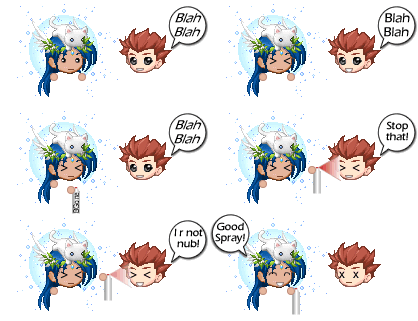
------- N00b Spray ------------
User Image
* You can change the words at the VERY end from "Good Spray" to whatever fits in the bubble.
** The "n00b" face is the Gaia DEFAULT male avatar when you first signup. Don't bug me about it being harrassment.
*** And to prevent harrassment by customers, NO, you CANNOT change the n00b avatar to something else. EVER.


User Image - Blocked by "Display Image" Settings. Click to show.

Shop Rules

User Image - Blocked by "Display Image" Settings. Click to show.


- Follow Gaia's TOS!
- Do NOT PM me your order! Post it in the thread!!
- In fact, please try not to PM me at all. Ask your questions in the thread and I promise I will get to them and answer them fully to your satisfaction.
- When creating your Order provide an image of your avatar in the post. I will not confirm your order if you do not provide one!
- Avatar must be NAKED, except for head gear! I must be able to see your avatar's chin and face clearly. (Other items around the neck may or may not be allowed depending on the emote/animation you order.)
- Using TekTek.org's Dream Avatar Creator is the preferred method of getting your avatar ready for me.
- If an emote requires an image of the back of your head, since TekTek does not support backwards avatars, I do ask if you could help by making sure there is NO background in the image you give me.
- If your avatar is incorrect, you'll have to do it again.
- Do not beg, whine, flame in this thread. EVER.
- Please do not steal the emotes here, except when it is indicated that they are free for use.
- When you receive your order of emotes/animations please save them to your OWN image hosting service. (I.e. Photobucket) I will delete them regularly after every 30 days. -OR- when my bandwidth/album size is too high!
- I will -NOT- begin work on your emotes until the trade for your order is completed.
- Sending a trade and placing an order will give you an Order Slot. However, again, I will -NOT- actually do work on your emotes until the trade is confirmed and completed. If you do not confirm within a reasonable amount of time, I will give up your slot and cancel the trade.
- Prices subject to change.
- You can only order 8 Emotes at a time.
- You can only place another order -AFTER- I've finished your current order. (Whether I finish within an hour after you place, or within a week. ^_^)
- Emotes/Slots/Orders are on a first come first serve basis.
- No refunds whatsoever! Sorry, this is final.
- Please try not to stretch the forum out. I don't really like it. Heh.
- Rules subject to change based on behavior within the thread.
- If there is a problem with your order because you didn't read the rules, it will be CANCELLED. If there is Info Pending, we may contact you to ask for this information.
- This is an EMOTE SHOP! Not an avatar edit shop! I will not "create" your avatar from thin air just because you want to wear a mask on your face >.< Take OFF the mask. Easy. Simple. Everyone's happy. (Note: Depending on the emote you order, it doesn't exactly do a whole lot of good to buy an emote you'll never be able to see the expression of. Now would it? >.< wink
- DO NOT LINK TO GAIA'S IMAGE URL FOR YOUR AVATAR! If the URL to your avatar's image has "gaiaonline.com" in it towards the beginning, then this is NOT acceptable. Because if you use this URL, if you ever want to change your clothes before your order is done, I cannot guarantee you'll get the emote with the equipment you were wanting. That link's image dynamically changes when you change your outfit.
- If something was wrong with your order - DO NOT EDIT IT! QUOTE it then repost any changes!! If you edit your post, I am not going to dig it out to fill your order. Just reorder.
- Requests by management to ease the completion of your order, please use IMG tags instead of URL tags when submitting your avatar image. Also, we occasionally have problems with photobucket recently, please try and use another hosting service if possible. These are NOT rules, but kind requests.
- We deliver emotes via PM, if you have PMs off or if you have Friends Only set then you will -NOT- receive your emotes unless you take these off and contact us!!!
- If you change your username from the time you order to the time we deliver, you MUST NOTIFY US of the change! Or you will -NOT- receive your emotes!!
- Put the page number of your order in your trade!! If you don't and we don't know where your order is or why you're sending us a trade, we will take it as a donation.
- ALL trades go to Zsabrina Emote Mule User Image


User Image - Blocked by "Display Image" Settings. Click to show.

FAQs

User Image - Blocked by "Display Image" Settings. Click to show.


In the order form it asks if the shop is OPEN, how do I know if it is?
The shop TITLE will say OPEN! If it does not have that MAGIC WORD in the title, then you cannot order!!


I ordered, now where are my emotes?
- Say it with me... P-A-T-I-E-N-C-E!!! Also, you must learn to R-E-A-D!!! If you think you should've gotten your emotes already but have not then do the following:
1) Check the ORDER SLOTS LIST in the VERY FIRST POST! If your name is still on it, then we haven't gotten to your order yet!
2) Do you allow EVERYONE to send you PMs?? If not, allow EVERYONE. We will -NOT- track you down in order to deliver your emotes. Consider your gold a donation to us if you don't check back and claim your emotes.
3) Did you change your username?? If yes, did you TELL US, about your name change?? If not, TOO BAD. We have NO way of finding out WHO you are now. Consider your gold a donation to us if you don't check back and claim your emotes.

How do you make your emotes?
- I use Macromedia Fireworks. No, I won't teach you because it's easier to explain in person than via Internet. Sorry.

What's with the disclaimer?!? It's SO unfair!
- NO. What's unfair is I spend the time to give you information, rules, FAQs, and you SPIT ON ME by not reading them. Wise up and read people. I thought they still taught that in school to children? If you're thinking, "Oh sheesh, well, now YOU'RE being the jerk!", then obviously you were offended by my statements and do not consider yourself intelligent enough to abide by my simple requests. I do alot of work in this shop and for this shop, I only ask that you read, ignorance of what is already listed here on the front page is UNACCEPTABLE! If you have a question about -ANYTHING- on this front page, feel free to ask!! I am actually not that hard to get along with, but ignorance is forgiveable only to a point. Stupidity, well, you can't fix that sometimes. So now you think, "Oh, well, I'M the customer and YOU should do what -I- say!!", and I'll tell you, "Go find another shop to deal with then." I've worked in retail/customer service for 5 years in my life, prior to my current job, and you know what, even then I didn't take that kind of BULL from customers. I will work to HELP you, I am not your FRICKEN SERVANT! Because ultimately, your pixel gold is not even worth my time to deal with. I was more tolerant in real life to those customers because they gave me my WAY OF LIVING. You provide me nothing but mild amusement! Get a grip, get a life, and check yourself at the reality door.

How will I know when events are coming up?
- Stick around and check daily.

When do you hold events?
- When I'm bored.

How do you save emotes to "your own image hosting service"?
Quote:
If you right click the image, choose "Save Picture As..." - then save the image anywhere in your computer - do not change anything about them as you save. It's temporary for this part anyways, so just as long as you know where they are, that's fine.

Then go to www.photobucket.com or www.imageshack.com and sign up for an account. I use photobucket and like their service very much.

After you sign up, you can create albums/folders, etc. And browse to where you saved the images before and upload each one. icon_smile.gif It should be self-explanatory from there if you've ever added an attachment to an email before or similar.

After uploading, you have your own URL for the image now that you can use and post the image wherever you like ^_^


What happens if I have really long hair?
- Usually I'll trim a little bit, then reconstruct certain parts/pieces so it doesn't "feel" like there's something missing. Like the shoulders of avatars always make a definitive shadow/line. I fill back in enough hair to make it not seem like there "should" be shoulders there. ^_~ So, basically, I actually will do a bit of editting on your avatar image before it goes into an emote.

How does your order process work?
Quote:
1. You post your Order Form with everything filled out and include an image that meets the requirements.
2. Send the trade. (ALL trades go to Zsabrina Emote Mule User Image)
3. I confirmed the Order Form and confirm what you want in the forum here.
4. I will confirm the trade. This gives you an Order Slot and you are considered as Trade Pending status.
5. You confirm the trade. I will begin work on your order in the order it was received.
6. Your emotes are finished and I PM them to you.
7. You save your emotes to your own image hosting account. (Such as: www.Photobucket.com, www.ImageShack.com, etc.)


Will you do emotes based on an avatar image not on Gaia?
- Yes, but they must meet the requirements for a regular avatar.

What is the status of my order?

- The statuses I will use are as follows:
* Info Pending: There was a problem with your order, usually the avatar image did not meet requirements and/or there's missing information from your order. Please correct and reconfirm your order before I go and accept the trade.
* Trade Pending: You need to confirm the last step of the trade before I begin working on your order.
* In Progress: I am working on your order right now. I will probably not reply to this thread or PMs for a bit.
* Strikeout: Your order is done. Check your PMs.
* Note *: If your order is underneath someone's who has a strikeout or if your order is the first non-Trade Pending order, then I'll be working on yours next! Yay!

What kind of Avatar Image are you looking for?
- It's fairly simple the image MUST meet the following points:
Quote:
READ THE NEXT POST -VERY- CAREFULLY!!!


My emotes suddenly disappeared and don't show up anymore. What happened?
- Did you save them to your own image hosting service? If so, ask them to see why. If not, then I DELETED them to make room. Per the rules above! If you want your emotes back, you'll have to re-order the emotes again.


Why is it so important to save the images to my own image hosting?
- Because when you link to my album, the URL of the image that I send you, you're using -MY- album's bandwidth. Everytime that image is viewed by someone, anywhere in the world, bandwidth is deducted from -MY- account. Why is that bad?? Because, if you use up my bandwidth, I am not able to properly provide for other customers or be able to display my emotes in my shop. Also, using someone else's bandwidth in such a way, is THEFT.

What are the best times to place orders?

- Anytime, but generally during the week. My weekends can be erratic.

How long does it usually take you to fill orders?
- Generally, I begin working on emotes in the order the order was placed based on whose trades have gone through already or not. I work during the day on a computer, when I get home, I sometimes do not want to stare at a computer again. So please be patient as I work through the list.

A bit about me: I work a regular 40 hour per week job. I have a home that I own and maintain. I have a life outside of the computer!! As do most people. I will do the orders as fast as I can, because that is how I like to do business. However, I will -NOT- ever let Gaia or this shop rule my life or dictate my real life actions/needs. So, please, be patient, and do not whine to me about not working on emotes fast enough or that you did not get your emote yet. Understand and follow the statuses as given above and I GUARANTEE you -WILL- get your emote. Unless something unforeseen happens. I am not above refunding money on an order if you cannot be patient because your impatience and stress is not worth enough pixels in the world to me.

NOTICE: I have a new assistant helping me with orders. What does this mean for turnover time for orders?? If your order is a custom or has more complicated emotes, it may or may not get completed in the order it was received. I'm sorry if this upsets some people, but the complicated emotes will be done by me, Zsabrina, personally and if my time is tight for that period then it will be delayed.

Can I request to have different text inside of Speaking Bubbles or Signs?
- Yes, but text MUST fit the bubble or sign. Quality of Emote will be based on what you request to have in it. Please note what you'd like it to say in your Order Form.

How will I know when new emotes or new updates are made?
- Be watchful of my signature as I will try to make updates there as well. But the best way is to SUBSCRIBE to the thread and check on it every so often.

How will I know which emotes are new?
- I will Announce them in the NEWS section in the first post. I will list out which emotes are new there, beyond that you'll have to find them.

I sent the trade now what?
- I will confirm your trade and begin working on your emotes in the order they were received.

What happens when you're done?
- I will PM you the emotes you ordered.

Will you do custom work?
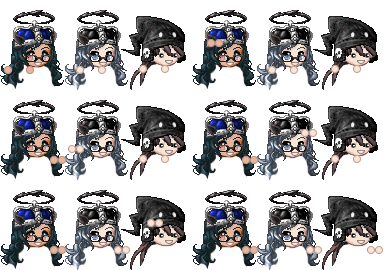
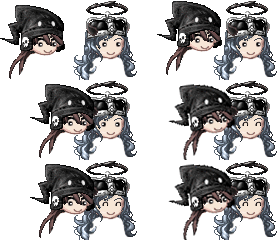
- Yes, prices based on complexity and timeframe of the emote. Samples of past custom work:
User Image User Image User Image
NOT FOR SALE!!!!
** Previously ordered custom work is NOT FOR SALE except if given permission by the original purchaser, who therefore has the rights to the IDEA of the emote!

But I always wear glasses, is there anything you can do?
- Submit an avatar -with- your glasses and without. I will confirm your order and let you know what emotes you want will or will not work with it. Basically though, if the emote you want has eyes that need to be a particular shape or will need to "move", then this will NOT be possible within the time I'm willing to spend. Sorry.

Can I have my "real" eyes instead of the beady ones in my emotes?
- Indicate your preference somewhere in your order form and I will see what I can do. Read above question for explanation/more info.
User Image - Blocked by "Display Image" Settings. Click to show.

Avatar Image Requirements

User Image - Blocked by "Display Image" Settings. Click to show.


(( Why is this section in red? Because there are too many morons in the world -_-; ))

1. Avatar must NOT have any item equipped on their back that extends beyond their chin.
2. I MUST be able to see their chin! Or, if wearing a mask, the DEFINITIVE line where their chin ends.
3. If you're wearing a scarf, neckace, or other neck item, I will -ATTEMPT- to add it with your emote, -NO- promises, -NO- guarantees. If it takes too much time, I will simply -ERASE- it from your emote.
4. Do -NOT- wear ANYTHING that covers your eyes AT ALL. -OR- Give me an image of yourself With -AND- Without glasses so I can modify your avatar easier for your emotes. (Rule applies to ANYTHING that covers your eyes but may NOT cover your entire face!! -SOME- emotes can accomodate these items, some cannot!)
5. Do -NOT- wear anything that will cover your nose area.
6. Do -NOT- use your avatar's Inventory image because it has Gaia's background. (I've actually found that PM yourself or your mule and the image in the PM of your avatar is clean enough.)
7. ALSO, some equips of Magica Occulus put a background on your avatar, please don't use these equips!! Same rules apply to this item as apply to getting your "normal" eyes on your avatar!
8. Do -NOT- put anything on that goes in your mouth/on your mouth, they will just get deleted. If you want to be my friend and be on my nice list, then just don't have anything in your mouth and not force me to take time to clean it up. (Examples: Cig, Smoker, Mustaches, Teeth of any kind)
9. Do -NOT- direct link to Gaia's URL for your image. If your Avatar Image URL has "gaiaonline.com" in it, then you are violating this rule!! >.<


Again: NO TEETH!


User Image - Blocked by "Display Image" Settings. Click to show.

Order Form

User Image - Blocked by "Display Image" Settings. Click to show.


[size=22][color=blue]-----+- NEW ORDER! -+-----[/color][/size][color=indigo]
Username:

Date Ordered:

Sent Trade?:
Did you send the trade to [b]Zsabrina Emote Mule[/b]?:
Does the shop have regular Order Slots open?: (Try reading the first page, post 1 where slots are listed)
Is the shop OPEN and accepting orders?: (Try reading the shop TITLE, if you answer no and still submit this form, you will be ignored and banned from the shop.)
Did you read and understand the avatar image submission rules?:
(If you don't understand, ask in the thread!)
(Lying to the above answer results in auto-cancel of order)
(Lying is proven by your lack of understanding to submit correct avatar images.)

Emotes: (Write these in a LIST as follows:)
Emote1 - ***g
Emote2 - ***g
Emote3 - ***g
Emote4 - ***g
Emote5 - ***g
Emote6 - ***g
Emote7 - ***g
Emote8 - ***g

Total Purchase: ****g

Avatar to Use: (Put an image of your avatar here!)

Comments:
((Things to consider: Who Glomps Whom? Who Handkisses who? Who gives the gift to whom? Etc.))

[/color][size=22][color=blue]-----+- ========== -+-----[/color][/size]


Be as specific as possible in your Comments please. I am not a mind-reader and if you want something done in a particular way, let me know. We can "hammer out" details before I confirm your order, not a problem, but do not assume I know what you'll want. Thanks!

* Send trade immediately after submitting the Order Form. You order is not officially placed until I confirm your trade. User Image
** Please include page number where your Order Form is in your Trade Message.
*** Reminder: Save your emotes to your own image hosting. (i.e. www.photobucket.com)


User Image - Blocked by "Display Image" Settings. Click to show.
Comment with them if you like after we deliver your order ^_^


User Image - Blocked by "Display Image" Settings. Click to show.

Banners

User Image - Blocked by "Display Image" Settings. Click to show.


User Image
(47 kb)
[url=http://tinyurl.com/3yd9q6]
[img]http://tinyurl.com/23eynt[/img]
[/url]


User Image
(13 kb)
[url=http://tinyurl.com/3yd9q6]
[img]http://tinyurl.com/ysfeqk[/img]
[/url]


User Image
(9 kb)
[url=http://tinyurl.com/3yd9q6]
[img]http://tinyurl.com/yqn3yz[/img]
[/url]


= Fan Club Buttons =

I had nowhere else to put these so they're going here for now. lol These are just for fun! A gag off something that ashes_of_phoenix said once ^_^

User Image

[IMG]http://i139.photobucket.com/albums/q281/ashaela/EmoteShop/FanClubButton.gif[/IMG]


User Image

[IMG]http://i139.photobucket.com/albums/q281/ashaela/EmoteShop/MiniFanClubButton.gif[/IMG]


User Image - Blocked by "Display Image" Settings. Click to show.

Affiliates

User Image - Blocked by "Display Image" Settings. Click to show.


Currently ACCEPTING affiliates! Your banner must -NOT- be larger than 200 x 200 pixels. Otherwise we will link your shop by a TEXT URL only.

(Not all Old Affiliates are transferred over. Please contact again for affiliation. Thanks!)

My Plushie Shop! --> User Image - Blocked by "Display Image" Settings. Click to show.
My B/C Shop! --> User Image - Blocked by "Display Image" Settings. Click to show.

User Image User Image - Blocked by "Display Image" Settings. Click to show. User Image - Blocked by "Display Image" Settings. Click to show. User Image User Image - Blocked by "Display Image" Settings. Click to show. User Image - Blocked by "Display Image" Settings. Click to show. User Image - Blocked by "Display Image" Settings. Click to show.
User Image


User Image User Image - Blocked by "Display Image" Settings. Click to show. User Image User Image - Blocked by "Display Image" Settings. Click to show. User Image - Blocked by "Display Image" Settings. Click to show. User Image - Blocked by "Display Image" Settings. Click to show. User Image - Blocked by "Display Image" Settings. Click to show. User Image - Blocked by "Display Image" Settings. Click to show. User Image - Blocked by "Display Image" Settings. Click to show. User Image - Blocked by "Display Image" Settings. Click to show. User Image User Image


~Cutiegrl101's Cupcakes and More Shop~
Zander's Art Shop

User Image - Blocked by "Display Image" Settings. Click to show.

FREEBIES!!

User Image - Blocked by "Display Image" Settings. Click to show.


The Emotes in this post are free to use by anyone for any purpose WITHIN the GaiaOnline site, per the TOS. I am not responsible for how -you- use them. They are absolutely, 100% free, made by myself for use ^_^

** NOTE **
PLEASE remember to save these images to your OWN image hosting service if you plan to use them. They are FREE but if you hotlink to my service (which is BANDWIDTH THEFT) then I will EAT you! xp


User Image User Image User Image User Image User Image User Image User Image


User Image - Blocked by "Display Image" Settings. Click to show.

Staff & Credits

User Image - Blocked by "Display Image" Settings. Click to show.


Zsabrina - Original Creator and Shop Owner.
Shatterestar - Assistant Emote Maker & Co-Owner. Do NOT pester her about when things will get done >.<
karissal06 - Quality Assurance on Orders
Lady_Death21 - Follow-Up Assistant. If you're Info Pending or Trade Pending for too long, she's going to PM people and make sure things are taken care of for me ^_^


User Image - Blocked by "Display Image" Settings. Click to show.

Reserved

User Image - Blocked by "Display Image" Settings. Click to show.


Reserved

User Image - Blocked by "Display Image" Settings. Click to show.

Reserved

User Image - Blocked by "Display Image" Settings. Click to show.


Reserved

User Image - Blocked by "Display Image" Settings. Click to show.

Quick Reply

Submit
Manage Your Items
Other Stuff
Get GCash
Offers
Get Items
More Items
Where Everyone Hangs Out
Other Community Areas
Virtual Spaces
Fun Stuff
Gaia's Games
Mini-Games
//
//

Join Now

// //

Have an account? Login Now!

//
//