


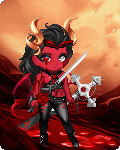


Thank you for joining Poll Addiction! You can use this free profile as an appreciation gift for keeping this guild alive & full of new polls! Copy paste this code into your profile! Click to view your profile then at the top click Edit Profile. You should see a small control panel on tyhe right side of the screen. Click on Themes then click the CSS tab. Paste this code into the box. The click Update.
Now for he nest part adding the header to your profile. Click the Picture option in the control panel. Click the URL tab & paste in the link to the header. You can move it around & adjust it where you want it to go.
Feel free to change the text & background colors if its not suited to your likeing the way I have it.
Here is a preview of what it will look like. biggrin CLICK HERE! mrgreen mrgreen
Profile Code:
#columns {
position:absolute;
left:100%;
width:1024px;
margin-left:-1200px;
padding:0px;
top: 400px;
}
.panel{color: cyan;}
html, body{background: url(https://i.imgur.com/coFrbry.gif) repeat #000;}
#id_comments dt:nth-of-type(n+5) , #id_comments dd:nth-of-type(n+5) {display:none;}
a { color: magenta; }
.panel h2{color: lime; background: yellow;}
#gaia_header, #gaia_header * {background: yellow;}
.panel{background: yellow;}
Header Code/URL:
https://i.imgur.com/2wNGFyJ.png
