|
|
|
|
|
|
|
 Posted: Thu Jul 28, 2011 4:10 pm Posted: Thu Jul 28, 2011 4:10 pm
Hey!
You know what this thread it about!
You want to make your post pretty like this!
So here I am to help you!
|
 |
|
|
|
|
|
|
|
|
|
|
|
|
|
Posted: Thu Jul 28, 2011 4:12 pm
Haha yeah, It's take a load off my mind if I knew how... sweatdrop
|
|
|
|
|
|
|
|
|
|
|
|
|
|
|
|
|
|
Posted: Thu Jul 28, 2011 4:20 pm
Alright.
So I think as you know there is a bar of tools above the type box when you hit reply.
There are small buttons that include a bold button, italize, underline and slash-through. Basics. I can see that you know about the sizing that makes things large or tiny. To the left of that box there is an A in a blue coloring if you click it another box pops on your screen and you see a bunch of colors that can change the color of your text..
As you've also noticed people have borders and divders as well as pictures. You can get these off photobucket easily. You can get all sorts of dividers and images that you can use.
Alignment is also very often used when creating these.
|
|
|
|
|
|
|
|
|
|
|
|
|
|
|
Posted: Thu Jul 28, 2011 4:24 pm
I generally prefer the smaller text in the middle.
I do have troubles with the colors, specifically the ones that aren't provided in the above styling options.
Where do you get those?
|
|
|
|
|
|
|
|
|
|
|
|
|
|
|
|
|
|
Posted: Thu Jul 28, 2011 4:29 pm
I myself only know of a few others outside the text box. Like this ---> LadyDuskLight or AnythingGoesRolePlay or Role-Play.
|
|
|
|
|
|
|
|
|
|
|
|
|
|
|
Posted: Thu Jul 28, 2011 4:31 pm
I know you can use Tek tek but I don't want to remember the specific color I want is #2bhd85, or that nonsense
|
|
|
|
|
|
|
|
|
|
|
|
|
|
|
|
|
|
Posted: Thu Jul 28, 2011 4:37 pm
I like to experiment a little. Like, write some sample text, then color it, then change the little thingy.
Like this: samplesamplesample
See the spot in the coding where it says "darkred"? You can type in different colors and it usually changes. I've tried lots of different stuff.
''''''''''''''''''
,,,,,,,,,,,,,,,
Those are just two different colors: lightblue and orange
|
|
|
|
|
|
|
|
|
|
|
|
|
|
|
Posted: Thu Jul 28, 2011 4:38 pm
There are a few others that I can know about let me just put them up real fast...
slateblue
darkmagenta
Don't know what it's called
mediumpurple
darkslateblue
dimgrey
its like green or something
|
|
|
|
|
|
|
|
|
|
|
|
|
|
|
|
|
|
Posted: Thu Jul 28, 2011 4:42 pm
The way I actully do it is if I see a color I like in a post I just hit quote and take the information of the color and post it in a Microsoft Word Document and put what color it is and such.
Simpler and much faster if you ask me. I've never used the tek-tek stuff all that much to be honest.
|
|
|
|
|
|
|
|
|
|
|
|
|
|
|
Posted: Thu Jul 28, 2011 4:43 pm
Thanks, I shall experiment with it all later.
As for graphics, How do you know where to place them?
|
|
|
|
|
|
|
|
|
|
|
|
|
|
|
|
|
|
Posted: Thu Jul 28, 2011 4:45 pm
I just sorta mess around.....Like, when I have some extra time on my hands, I just put in different color names. Pretty much everything I can think of. Lime green, light blue, sky blue, orange, maroon, I think I tried toffee brown once, but I don't think it worked.
|
|
|
|
|
|
|
|
|
|
|
|
|
|
|
Posted: Thu Jul 28, 2011 4:55 pm
Photobucket. Look up pictures and on the side you'll notice a box. In that box there are two things you'll need. IMG code and DIRECT LINK. Direct link is what I use for pictures. IMG CODE is what I use for borders and dividers like I used in the starter post. With IMG CODE you can only put images in either the center left or right . But with the DIRECT LINK you can place image either on the left or right of your text. Here is an example. This is IMG CODE center align right align left align ---------- The word will only appear under these. Not next to them. But with DIRECT LINK you can place images side-by-side to text like this...  Like this image is being put to the left of my text. This is to the right.
|
|
|
|
|
|
|
|
|
|
|
|
|
|
|
|
|
|
Posted: Thu Jul 28, 2011 5:17 pm
And all that was left was a little box |-|-|-|-|-|-|-|-|-|-|-|-|-|-|-|-|-|-|-|-|-|-|-|-|-|-|-|-|-|-|-|-|-|-|-|-|-|-|-|-|-|-|-| 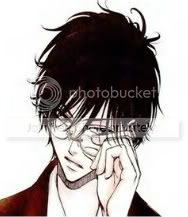 Here's what I have for my shapeshifters posts.
I worked on it for a while but I don't think it's perfect just yet. |-|-|-|-|-|-|-|-|-|-|-|-|-|-|-|-|-|-|-|-|-|-|-|-|-|-|-|-|-|-|-|-|-|-|-|-|-|-|-|-|-|-|-| Filled to the brim with little hearts
|
|
|
|
|
|
|
|
|
|
|
|
|
|
|
Posted: Thu Jul 28, 2011 5:37 pm
|
|
|
|
|
|
|
|
|
|
|
|
|
Posted: Thu Jul 28, 2011 5:43 pm
Idk if I want to put his name at the top of the post or not.
Any suggestions?
|
|
|
|
|
|
|
|
|
|
|
|
|
|



 Reply
Reply