





----------------------------
 Internet Explorer: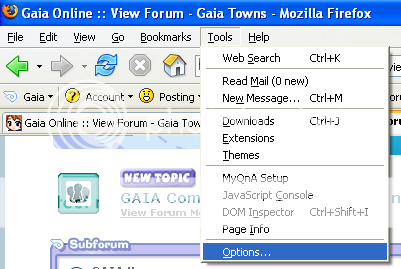
The first thing you must do is to clear your cache on Internet Explorer go to your tool bar and click on "Tools" bar, a side scroll drop down. Click the "Internet Options..." button.
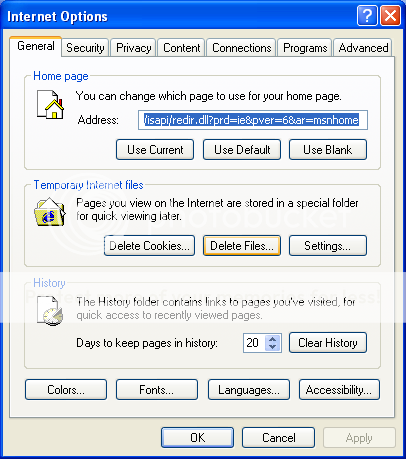
A small window will appear, click the button labeled "delete files" located around the center of the window. A small window will appear.
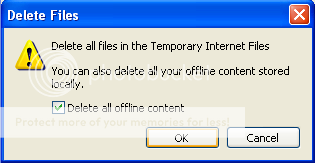
The new window will appear, click the "delete all offline content" button. After this you just click the "OK" button and your computer will do it, this may take some time depending on how fast your computer is and how often you clear your cache, when the window disappears you will be taken back to the previous window, just hit "OK" and you are done.
NOTE: It is normal for the internet to run slowly after you clear your cache.
----------------------------
 Mozilla Firefox:
Clearing the cache on Firefox is similar to Internet Explorer. First start by clicking the "tools" tab on the toolbar. A side scroll will open, click on "Options..."
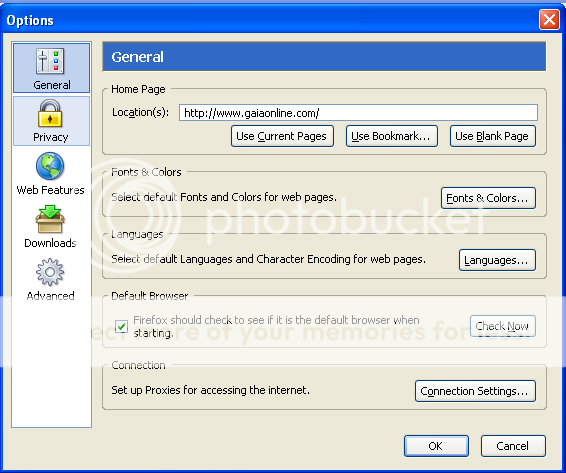
Click on the tab "Priviacy"
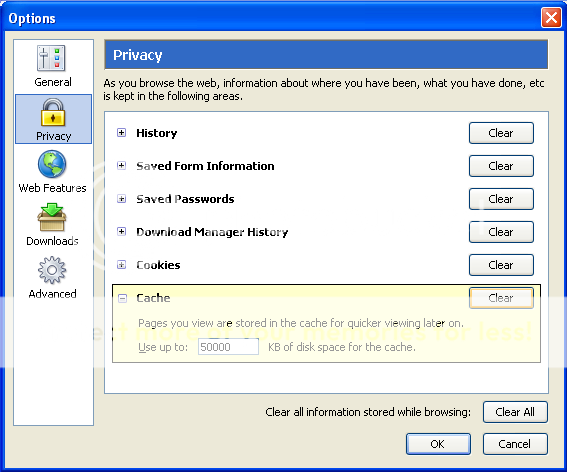
In the box to your left the will be a bunch of selections to clear. Click the "Clear" button to the right of cache. Your computer will then clear your cache. This may take a while depending on the speed of your computer and how often you clear your cache. Once done click on the "OK" button and BANG you are done.
NOTE: It is normal for the internet to run slowly after you clear your cache.
 AOL:
AOL: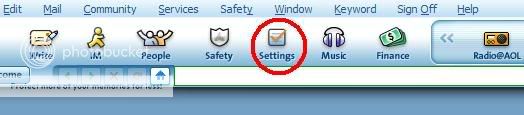
STEP 1: Click on "Settings"
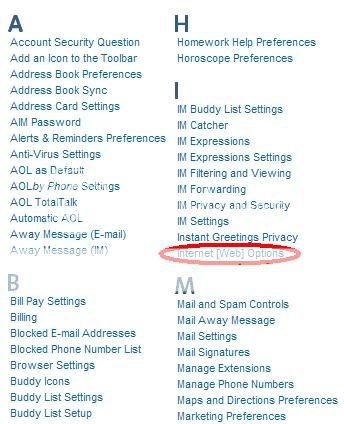
STEP 2: Click on "Internet [Web] Settings"
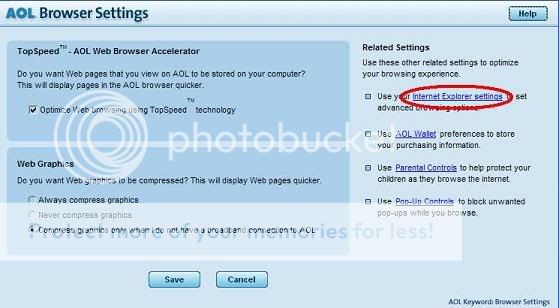
STEP 3: Click on "Internet Explorer Settings"
STEP 4: Click on "Delete Files"
----------------------------
 Safrai: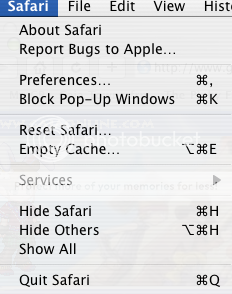
Click on the "Safari" tab and then click Empty Cache
NOTE: It is normal for the internet to run slowly after you clear your cache.
----------------------------
Credits:
gizmogal - Did the alpple Cache Guide
Viscount - Did the AOL guide
