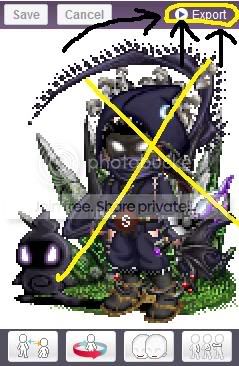
1. Drop down menu My Gaia>Avatar. From there, you'll see a button called "Export" at the top right of your avatar's dressing room box. [Reference Image on Right --->]
2. Click on the button.
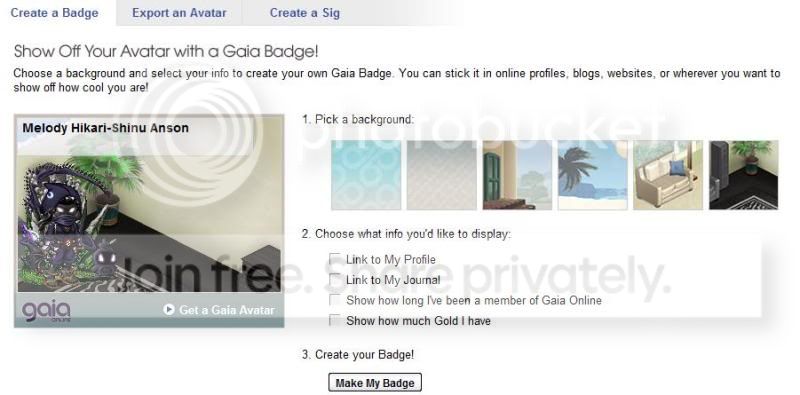
3. On the next page, you'll come to a screen that has four boxes checked. Uncheck all of them so that it only shows your username on the badge, your avatar, and a background of your choice. [Reference Image on Bottom ---v]
4. Then you click on "Make My Badge". On the next page there'll be a link towards the bottom of the badge image that says "Export Your Badge". You copy the link and then paste it in an email to mtsacanime@hotmail.com
5. In the email, make sure you title the email in reference to the badge, and put in the body the URL, your name, nickname, and your favorite anime [up to 2, depending on name size].
That's all there is to it! ^^ It's so simple and easy that it takes too little time for us to do! No wonder why hardly any of us have submitted one to the president!
...And hey, I did it in 5 steps! OAO Yay for me!~


 Reply
Reply