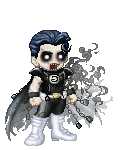


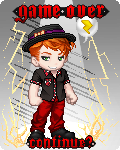


September is upon us, so now is the prime time to announce the September Letter contest! Since last month proved that most people here are unable to coherently type more then a paragraph if it's not criticizing Animedude or Rob Liefield, this month's contest will be invovled with pictures, instead.
That's right, it's an Avatar Edit Contest!
But, Wally, you say...I've never done an avatar edit before!
That's okay. There are two categories to the contest. There is a Beginner category and an Advanced category. It's up to you to decide which category you belong in. (Here's a hint-if you have an av edit gallery, you belong in advanced.)
But Wally! You say, I wouldn't know where to start!
Sure you do. Every computer has 'Paint' on it, and many of you have even more sophisticated programs for editing photos. Avatars are made in the same programs. Even a beginner can draw a basic costume on an avatar base, or alter some of the clothes on Gaia to make a costume.
Which brings me to the next point...
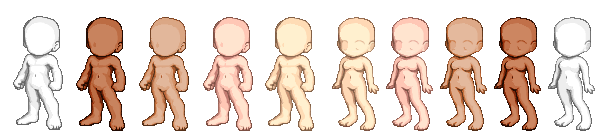
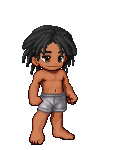
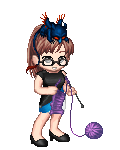
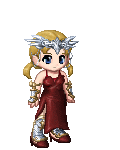
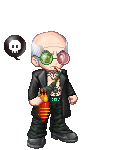
These are the avatar bases, used on the site for building avatars. They are a good starting point for any avatar editor.
Also, THIS is the Gaian Avatar Simulator, which allows you to dress up an avatar with ANY outfit available on the site. It can be very useful, although it has been recently modified to have a 'watermark' covering all images used on it.
The Gaian Avatar Creator is a similar program, but it is out of date by several months in terms of clothes and hairstyles. It is no longer available online, but if you contact me via AIM (at misslupinthe3rd), I can send you the downloadable version.
With these programs, all you need to do is dress up the avatar, make a screencap (instructions how to do this next paragraph), and paste the image into Paint/photoshop. Then you can edit the clothing from there!
How to make a screencap: (PC only. If you have a Mac, ask and I'll link you to instructions) A screencap is basically a 'picture' your computer takes of whatever is on the screen at the time. It copies the image of your computer screen to the clipboard. The button to do this is the prt scr/sysrq button, right next to F12. Once you've pressed that, if you hit paste or control + V in any paint program, the entire screen will be pasted onto the canvas.
Okay, you say, that's a lot of information there, but I think I'll give it a shot! Good for you, I say. I don't hold these contests because I like typing out instructions. I hold them because it's fun to see you guys flex your creativity.
The theme for the FIRST avatar edit will be "Create your own hero!"
This contest ends September 15th. If it seems like the interest is high enough, I will host a second contest the second half of the month.
So, there you go. The basics are traced out. There are several avatar editors here who are more then happy to help you at any time with any questions you may have. If you would like to participate in this contest, please sign in here and state your category.
Best of luck to you all!