Welcome to Gaia! ::


<center>User Image</center>

If you're new go ahead and post and you can mingle and meet new friends! If you have any questions we will do our best to answer them, but most of all we just want to offer a big friendly welcome to anyone that is new! 4laugh

    Table of Contents

    Post 1: Introduction & Staff
    Post 2: Information Desk
    Post 3: Useful Links, Dictionary & Mini FAQ
    Post 4: Cutesy's Charity

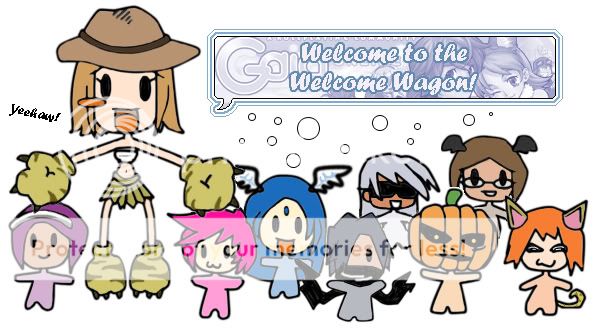
The purpose of the Welcome Wagon is to welcome all new people who post within this thread and within the Welcome to Gaia forum. Our goal is to make everyone's first experience with Gaia a good one; We aim to spread some kindness with hopes that it will travel across Gaia and we also aim to help educate new Gaians for their benefit and that of the rest of the community! heart

    Welcome Wagon Staff

Cutesy | Kawii | gubins | nyo23 | shift | Aeshira | Karrie | Pandee | Harts

Interested in joining the Welcome Wagon staff? Contact Cutesy via PM. ^_^
User Image


Hook, line and sinker

[color=white]
Gaia's first official mini game has been released - Gaia Fishing! Not only is Gaia Fishing something to pass the time, but you have the opportunity of catching rare fish that will give valuable exchanges in the future. To test your fisherman skills, you need to have Flash Player 7 installed on your computer as well as some fishing gear. The minimal amount of gear you need to fish with is a rod and a bucket of bait, which can be bought at the Fishing Store at Bass'ken Lake, then move your cursor over the lake and click on the 'Fishing' text pop-up to catch ye some fishies.

For in depth instructions on how to play the fishing game read this. > Fishing Instructions


Finally I can scratch that itch!

[color=white]
That's right, Avatar System 2.0 has arrived! So what is this system? Well 2.0 allows you to manipulate what pose you're avatar has. Here are all the poses you can choose from (click for example). To change your pose go to your 'profile' and click 'customize me', you will then see the 'change pose' button below your avatar. Click on that and a pop up screen with all the poses you can choose will come up (click for example). Then just click on one of the icons to change your avatar's pose, finally press 'save changes' and there you have it!

So, maybe you're wondering why exactly we have all these new poses. Well, they've been designed for the future additions to Gaia, such as the Battle system, Fishing, mini games and normal everyday items like instruments and other no doubt funky stuff. 3nodding

NOTE: Weapons will most likely come out around the time the Battle system does, but that is still in the planning phase, so don't expect weapons or the BS anytime too soon. domokun


But stay patient, cause it's all gonna rock when it finally comes to Gaia! ^_^+ ...<More.>


I've lost my thread!
[color=white]
Thanks to Gaia's new 'thread subscription' feature, you never have to worry about losing your threads ever again. To subscribe to a thread, scroll to the bottom of the page and click on the User Image button in the left hand corner. After subscribing to a thread you will be re-directed to your 'thread subscription list' where your subscribed threads will be listed. To check on whether your threads have been replied to, go into a forum and the 'thread subscription' link will appear on the second bar beneath your 'profile' bar. (click for example), then it's just a matter of posting, or not if nobody's replied yet. xP ...<More.>


Wanna keep track of your day?
[color=white]
Gaia now has 'journals' for you to do whatever you want with. To get to the 'journal' feature, go to your 'Profile' and it will be along your 'edit profile' bar. Alternatively, just click on this link. >Journal Link

Note: Because this is a new feature, if the 'journal' link doesn't appear on your profile page don't fret. It'll be back, just check again later or use the above link. ^^

For detailed information on making your own journal, read this...<More.>


Keep your new friends in one place!
[color=white]
Gaia now has a 'Friendslist'. This allows you to add all the great new friends you've made on Gaia onto a list, giving you easy access to PM them, trade with them and check whether or not they're online. You also have the option of ignoring those people that really get under your skin. To get to the 'Friendslist' go to your Profile and the list will be along your 'edit profile' bar.

Questions & Answers

1. How do I add someone to my list?
You can add people to your list by either typing their user name in the 'Add to Friends' box on your 'Friendslist' page. (click for example) Or you can add them by going to the user's 'profile' (which is located below their posts) and clicking on the 'add to friendslist' button. (Click for example) Your request will then be sent to the user and then it's up to them to either accept your request or deny it. (If they deny your request, a PM will be sent to your inbox to notify you.)

2. I logged in and I have this weird bubble next to my avatar. What is it?
This (click for example) means that someone whats to put you on their 'Friendslist'. Just click on the bubble and it'll take you to your 'Approvals List' and show you the person that wants to add you to their list.

To find out about the rest of the features of the 'Friendslist', please read this...<More.>


Turn your PMs on!
[color=white]
There have been some problems recently with new users sending PMs and then not being able to receive replies. To make sure you don't have this problem and correct it if you do, go to your 'profile' and click on 'edit profile'. When the page has loaded, scroll down to User Image and to turn your PMs on, check the 'yes' option by 'Receive Private Messages:', then press the 'submit' button at the bottom of the page and now you can receive PMs! ^_^



Never give out your password!
[color=white]
Administrators, General Moderators and Dedicated Moderators will never ask you for your password. If you receive an email or PM from someone claiming to be a member of Gaia's staff asking for your password, report them to an online moderator immediately (a list of mods online can be found at the bottom of the Forum Index )...<More.>


For the latest additions to Gaia, make sure to check at the Announcements section. ^_^
User Image

It is highly recommended that you read the links with User Image next to them. ^_^

Official


> FAQ User Image
> About Gaia
> The Basics

Stickies

> Welcome! Rules & Guidelines (info about the forum a MUST READ) User Image
> Welcome to Gaia! Introduce yourself here!
> Freebies for Newbies & Foreign FAQs
> How to protect your account and more! User Image
> Stuff you need to know User Image

User Made

> GAIAIN NEWBIE BAR!
> Advice for new and old users
> Amp's FAQ & SJL's Guides
> The n00b Adoption Agency
> G-Angels Inc.
> MnK Directory
> Gaia Online Handbook
> Round's "How to do everything" place
> Friends For Gaians

Gaia Info

> Read me first! - Current problems User Image
> Lanzer's work diary (features and upgrades)
> Donation Letter FAQ
> INFO! Battle, Feature and Item suggestions!
> Update FAQ
> A List of Servers

Charity

> The Newbs Not Noticed Charity

Misc.

> Gaia Chat
> Gaia Items Database
> The Gaia Avatar Simulator
> Links to all the info you'll ever need!
> G.E.N

Got a useful link you think should be on the list? PM it to gubins! ^_^


User Image


Here are some terms you might want to learn:

    Bump - Bump = Bring Up My Post. When you post this in a thread it boosts it to the top of the forum you're in. If the thread isn't on the 1st page, bumping it will bring it back onto the 1st page. Bumping is only allowed in the Chatterbox, Mini Shop forum and The GAIA Exchange because these places move very fast. Anywhere other than there bumping is only acceptable if the thread has important information in it, like an FAQ in this forum.

    Glomp(s) - If someone glomps you it is like a huge friendly hug.

    RP - This stands for Role Play. You can RP with other users in Barton Town. If you don't know how to RP, read this...<more>

    HB - This stands for High Bid. If you are taking part in an auction you may see someone use that abbreviation.

    AB - This stands for the Auto Buy price in an auction. If you don't want to wait out the auction and have the right auto buy price then you can get the item straight away.

    PM - This stands for Private Message, it lets you talk to other users well, privately.

    To PM someone you can either:

    1. Go to the 'mail' button on the top bar, then click on 'new message' and type in the user name of the person you want to send a message to; then the rest is just the same as making a normal post. (Note: You have to have a 'subject' to send a PM)

    2. Click on the 'profile' button under the user you want to send a PM to, then click on the 'PM' button on their profile screen and it will set you up to send a PM.
    3nodding

    Sticky - A sticky is a thread that permanently stays at the top of a forum. They have User Image and User Image next to them and contain important information about the forum they are in. You should always read the stickies before posting in a new forum.
    NPC - This stands for Non Playable Character. Gaia has lots of NPCs and most of them man the shops on Gaia.


For more terms, check out this. > Gaian Dictionary


User Image


Index.

01. What exactly is Gaia and what can I do here?
02. What, I'm naked?! Help!
03. How do I earn gold?
04. Is there any way to get quick gold?
05. Can you give me some items or gold please?
06. What are rare events?
07. What are donation letters?
08. Can I give items to other users?
09. How do I sell items?
10. What's a signature and how do I get one?
11. What's adoption and how can I get adopted?
12. What's a quest?
13. What's a guild?


Q. What exactly is Gaia and what can I do here?

    Gaia Online is an internet forum community. If this is your first forum, then let me explain. A forum is a public meeting place for open discussion, which can be anything from chatting, to role playing, to heated debate here at Gaia. It's a place primarily for talking to other people basically. ^_^ Gaia is distinctly aimed around anime, but it has grown past just being about that and over time evolved into a much more broad and general community of interests, ideas and opinions. If you're already apart of a forum then you'll notice what's special about Gaia - the avatars.

    What's an avatar? Well, it's the little person you get to customise when you register. Your avatar is kind of like a virtual representation of yourself. To further personalise your avatar there are many shops on Gaia where you can buy clothes to dress your character however you want. The list of items available is always growing and you can even suggest items that you would like to see in the future!

    So, is there anything else to do other than talking? I hear you say. Well, yes! ;D If you're an artist you can submit your art work to the Art Arena, where you can also receive special items for winning in competitions held there. You can compete in user held art and writing contests (Art Contests & Writing Contests); Role Play as your own original character or an existing character with other users in Barton Town; set up your own guild for maybe cheese addicts in the Guilds forum; create a bar in GAIA Commerce, or your own shop in the Mini Shop forum. There are word and lotto games (Word Games and others & Lotto/Money Games) as well as a host of other things to keep you occupied deep within the forums. surprised

    If none of those appeal to you, fear not, there is an official fishing mini game and more mini games are coming to GAIA as well as many other features in the future. If you stick around you're sure to be apart of something cool. But most importantly on GAIA, have fun! 3nodding


Q. What, I'm naked?! Help!

    Go to your 'profile', then click on 'customize me' and you will find either a peasant cloth if you're female, or peasant pants and t-shirt if you're male. To equip them just click on the item and after a few seconds it will appear on your avatar to the left of the inventory box. When you have your items on, click the 'save changes' button and you're ready to face the world without the worry of chills! Most people don't like the peasant clothes (I think they're cool myself) but they're just temporary until you can earn gold for some better ones! ^_^

    NOTE: If you want to un-equip a particular item, just click on it in your inventory and it will be removed from your avatar. It's easier than using the 'unequip all' button when you just want rid of one item. ^^l

    Hey wait! Where do I go when I do have some gold? If you go to the 'map' you'll find various clothing shops located in the different towns of Gaia. To find a shop, move your cursor over the buildings of the image map until they light up and then just click on the ones that say 'shop'. ^^ To get to another town, click on the orange arrows to the sides of the image map, or just use the 'teleport' function above the map if you know where you want to go. ;3

    Here's a list of all the current shops of Gaia:

    > Jewelry Store
    > Barton Boutique

    > Gambino Hat Rack
    > Gambino Outfitters

    > Durem Depot
    > H.R. Wesley
    > Salon Durem (This doesn't sell clothes, but rather hair styles.)

    > The Ole Fishing Hole (Sells fishing items only)


Q. How do I earn gold?

    Posting - Replying in threads like this one (or by making a new thread all together.)
    Lurking - Clicking around the site and browsing through topics.

    Voting in polls - Click on threads with [Poll] at the beginning of the subject line. You get 10 gold for every poll you vote in to begin with, but the more times you vote, the amount of gold you get goes down (from 10 to 5, until you just get 1 gold per vote.)

    Rating Art - In the Art Arena. (But don't just vote to get gold, make sure you look at the piece first and give it a fair score.)

    Reviewing Art - In the Art Arena. Again, put thought into what you are going to say, and try to be positive. (If you submit a spam post you will have 100 gold taken away from you, so bare that in mind before commenting.)

    Submitting Art - For the Art Arena. You will only get gold once your piece has been accepted though.

    Submitting links - To the Linklist. Before you submit a link, make sure it isn't already on by searching for it, otherwise the list might get clogged with multiple links to the same site. ^^;

    Reviewing links - In the Linklist.

    Visiting Gaia's sponsors - Click on the banners under your avatar on the Home page every 12 hours and you should get around 50 gold for each one. (If the links don't work or aren't there, go here. > Sponsor links )

    Referrals - You can gain 50 gold for referring a new person to Gaia and you have a chance of getting a rare event. (This only works if the person you are referring to the site is on a different computer to yours. Read this for more information. >Grow Gaia)


    <center>Advanced:</center>

    Setting up shop - You can make your own shop in the Mini Shops forum and sell items you've made yourself, as well as graphics and services (such as bumping) to other users there. (You can't sell any Gaian items in here). Read these two threads for more information on how to make a shop and the do's and don'ts of it. >Minishops Rules & Guidlines, Owning a Successful Shop.

    Flogging items - You can sell Gaian items that you don't want in either The GAIA Exchange or the Market Place, but I suggest you wait a while before selling anything as you need a 'Trade pass' (which costs 500 gold from the Bank) to trade items and gold with other users. (You also need a 'Vending licence' to sell items in the 'Market Place' which costs 1000 gold.)

    Art shop - If you're an artist you might like to consider setting up your own commission shop where you can draw other user's avatars for a certain fee of gold. People with varying levels of talent set up shop selling their art so don't be concerned if you're still learning and all styles are loved of course so you don't have to be able to draw manga. ^^ Read this for more information. >R&C: Rules and Guidelines.

    idea It's a good idea to look at other people's shops to see how they've laid theirs out. Check out what prices they've used compared to size and quality of work and the rules they've set up so that you have fair rules and prices for both yourself and your customers.

    You might like to check out these links for extra tips! ;3

    > 1000 gold a day!
    > How to earn gold fast!


Q. Is there any way to get quick gold?

    I'm afraid not. You just have to stay active on Gaia and post a lot. But check out the above links for some good suggestions to help get you more gold. ;3


Q. Can you give me some items or gold please?

    If you're a bit short on gold and you can't wait to get an item, then you can head on over to the Charity sub-forum and kindly ask for some donatoins there. You're not garenteed to get something but if you present yourself properly you have a better chance at getting donations. Make sure to read this before posting in the Charity forum! > Do's and Don'ts


Q. What are rare events?

    When you get a rare event you can end up with either a rare item or gold! Rare events are completely random, given out to random users at random times. When you get a rare event a "shock bubble" will appear next to your avatar (click for example). Look around your screen and you should find one of four possible rare events. They can be found any where on Gaia, from homepage, to map, to forum; the four kinds of events you can get are:

    1. Pink Link
    2. Enchanted Trunk
    3. Pink Gift Box
    4. Blue Gift Box

    1. Pink Link: Pink links are just that, links that are pink! xD When you click on a pink link you will receive 1000 gold. You can find them on banners and non-links too though!
    (click for an example of a Pink Link)

    2. Enchanted Trunk: These cute little trunks contain "uncommon" items but are more common than the two boxes. When you get an enchanted trunk it will float around your screen, so make sure it's not near a link when you click it! ^^;
    (click for an example of an Enchanted Trunk)

    3. Pink Gift Box: These contain "rare" items and are the rarest of all the events. Like the enchanted trunk, they float around your screen.
    (click for an example of a Pink Gift Box)

    4. Blue Gift Box: These were recently added to Gaia's rare event list and you can get either uncommons (items from enchanted trunks) or rares (items from pink boxes) from them. These again will float around your screen.
    (click for an example of a Blue Gift Box)

    If you can't find your event, scroll down to the bottom of the page and there should be a link that says "If you cannot find your event, click here.", click on that to get your event.


    (!) I accidentally went past my rare event!! Is it gone forever?! ;_;
    No! ^_^ Just keep on surfing around Gaia and you'll get a second chance, but no more after that. ><x

    NOTE: If you don't see the shock bubble or the event link at the bottom of the page then take a look at this thread. > Operation Rescue: Rare Event

    >You can cheat and buy Enchanted Trunks, Pink Gift Boxes and Blue Gift Boxes from other users at either The GAIA Exchange or the Market Place. For a list of all the rare event items and their estimated prices go here:

    ...>Gaia Exchange Network


Q. What are donation letters?

    To help keep Gaia up and running it needs donations. As a way of thanking users for donating real money to Gaia, they receive a donation letter (which is put directly into their inventory). Every month a different donation letter comes out and around the 25th of that month you can open the letters and there will be two special items to choose from. The letters first started being given out in June 2003 and became very popular. Because of this the earlier donation letters from 2003 are greatly sought after. You can only get past letters from other users who are selling them, either from The GAIA Exchange or the Market Place. To see a list of all the donation items and their estimated prices you can go to these price guides:

    ...>Gaia Exchange Network
    ...>Estimated Value Item List
    ...>Sepraphic Item Nexus

    If you would like to donate to Gaia please read this. > Donation letters FAQ


Q. Can I give items to other users?

    Yes, but to do so you need to have a 'trade pass', which costs 500 gold from the Bank in Gambino. Then you can either click on 'New Trade' while you're in the bank and type in the name of the user you want to trade with. Or, click on the user's 'profile' then press 'trade'. This will automatically set up a new trade with that user. Then it's just a matter of adding the items/gold to the trade and sending it. ^^

    NOTE: As a new user it is not advised that you buy a trading pass as unless you have some items to send or enough gold to buy something from the Exchange, you just really don't need one. Lots of people buy trading passes and then only end up needing them months later. ^^;


Q. How do I sell items?

    If you want to sell your store items then you can go to any of the NPC's shops on the map to sell them.

    There are two other ways to sell items on Gaia:

    1. You can set up a new thread in The GAIA Exchange and sell your item/s in there. If you are un-sure about prices check this, it has links to special item price guides as well as listing the prices to most of the store items in the second post. > Price guides. For more information on selling items in The GAIA Exchange, scroll down to 'Sellers' and read it! <More.>

    NOTE: Before you can sell your item though, you need to have a 'trading pass' so that you can actually follow out the transaction. See 'Can I send items to other users' for my information.

    2. The Market Place is a new feature to Gaia. It is a more efficient way of buying and selling items on Gaia. For some tips on how to sell items in the Market Place, read this. > Market place tips

    NOTE: To sell something in the marketplace you need a 'vending license' from the Bank, which costs 1000 gold. To buy things you need a 'trading pass'.


Q. What's a signature and how do I get one?

    Signatures can be either images or text. You can put your favourite quotes in them, links to threads you want other people to see, or maybe you just want to show off a really cool picture you have. Your signature will appear under your posted message (click for example). If you post again on the same page, your signature will automatically move to under your latest post.

    So you know what you want to put in your sig, but now, how does it get there?

    Text sigs:

    These are a lot simpler than image sigs. All you do is go to your 'profile', click on 'edit profile', scroll down to 'profile information' and you'll see your signature box. Then you just type your text in and hit submit! 3nodding

    Image sigs:

    If you have an image on your computer, then you need to put it on your own server, www.photobucket.com is a good, easy to use one and it's free too! ^_^ Sign up with that and upload your image, copy the URL and then paste it into the IMG BBCode so that it actually works. ^^; Here's the code:


    [IMG]Image URL here[/IMG]


    So, for example:

    [IMG]http://graphics.gaiaonline.com/GraphicElements/rockpuppy.gif[/IMG]


    ...> User Image

    Next, go to your 'profile' and click on 'edit profile'. When the page loads, scroll down to the bottom and you'll find your signature box. Then you just paste the BBCode in there and submit it. (just like you would for a text sig ;3)

    Tip: You don't need to make a new post to see if your signature has worked, just go to a previous post and your new signature with be shown beneath. ^_^ Or you can go to the Test Forum and make a post in there.

    NOTE: There are rules for the size of your signature now in place, they are that the image must be a maximum of 500 pixels tall and 500 pixels wide, with a maximum of 100kb file size. Please try and keep to these. ^_~ (To check, right click over your image and select 'properties')


Q. What's adoption and how can I get adopted?

    On Gaia people offer to adopt new users for the purpose of helping that new person with understanding how things work, what terms mean and to just generally give support and be a friend to help make the new users' first experiences of Gaia pleasant. 3nodding

    To get adopted you can apply to either one of the two adoption threads in this forum. (But there will be other adoption threads throughout Gaia.) Make sure to read the first posts and follow the rules! 3nodding

    ...> The n00b Adoption Agency
    ...> G-Angels Inc.


Q. What's a quest?

    A quest is when you dedicate yourself to saving up gold for one or more particular item/s on Gaia that you really want. If you have a really big goal and don't think you can handle it on your own you can make a thread in the Charity/Quests forum and ask for some help (though this will not guarantee you getting anything, but it's worth a shot :3) or you can just use it the thread to keep a check of how far along you are and to help spur you on. ^^

    You should check out this sticky from the forum if you are thinking of making a quest thread. > A successful quest thread.


Q. What's a guild?

    A guild is where a group of people with similar interests gather together to talk about that subject. For example, if you like everything to do with cats you could make a cat guild and discuss the different breeds and what you like about them with other cat lovers. The place to make guilds is in the Guilds forum.

    If you think you'd like to make a guild, be sure to read this first. > Guilds


If you have any more questions or you don't understand any of the information given in this mini FAQ then just post! We'll try our best to help you out. ^_^+
bet u can tell i'm new from my clothes redface
heart Cutesy's Charity heart
Coming soon ! eek
Welcome! biggrin
*does a welcome dance* heart

Invisible Citizen

*waves hello to the welcome wagon* biggrin

Newbies are treated so nicely here! I feel very welcome and I hope to stick around for a long time 3nodding
boisterously_silent
*waves hello to the welcome wagon* biggrin

Newbies are treated so nicely here! I feel very welcome and I hope to stick around for a long time 3nodding

Yay ! Its so nice to meet you boisteriously_silent ! I hope you do stick around for a long time. How are you today ?
Welcome everyone! heart
Welcome to Gaia. Enjoy your stay!
*passes out cookies*
Thanks Cutesy
Dregon
Thanks Cutesy
Your welcome Dregon. How was your day today?
fine thanks yours?

Quick Reply

Submit
Manage Your Items
Other Stuff
Get GCash
Offers
Get Items
More Items
Where Everyone Hangs Out
Other Community Areas
Virtual Spaces
Fun Stuff
Gaia's Games
Mini-Games
Play with GCash
Play with Platinum
//
//

Join Now

// //

Have an account? Login Now!

//
//