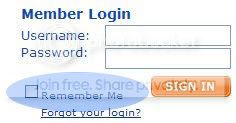
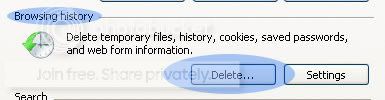
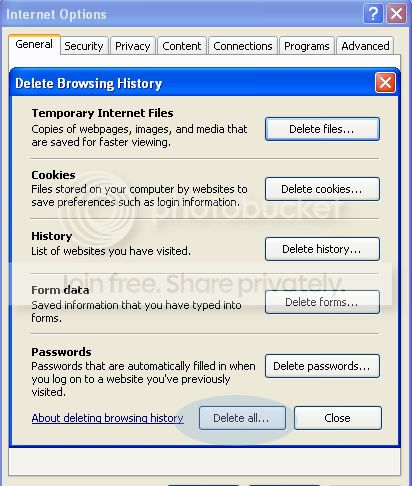
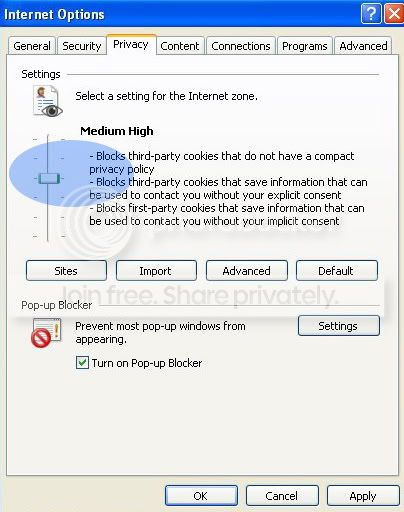
There are passwords and pins for everything now adays to the point where my list is huge. My first recommendation is to NEVER let a site remember you. Staying automatically logged in makes you an easier target than if you are logged out. So remember do not click this box:
Yes that means you will have to log in each time. This may seem inconvienant but it is in your best interest.
Choosing a Password
When choosing a password don't pick something obvious ex. the name of your favourite character or something mentioned in your profile. Choose a different password than the ones you use on other sites. Include numbers in it and make it as long as possible. Try to even use words from other languages mixed together to really throw someone off.
Example: treeoui78pu, tz23r6hj3
Try to change your password at LEAST once a month on random days. More often is preferred but may not be ideal for you.
Do not give out the password to anyone. I don't care how much they say please, plz etc the answer is no. Don't even give it to friends, family NO ONE!
Can't come up with something? Try this site recommended by Toxic Haze:
Password Generator
Worried you wont remember? Write down your password somewhere (post-it, password list printed out)and keep it handy.
Other password Tricks
1)Too difficult? Try using this tip from another gaian user:
Choose a phrase that has meaning for you and is easy for you to remember. Then, take your password from that phrase.
For instance, if you love Inuyasha, having the password "Inuyasha" could be guessed not only by friends, but by anyone who reads your posts. On the other hand, if you can remember the phrase " I think Inuyasha is way too jealous of Koga" you can easily remember "ItIiw2joK"
Now, to the casual observer, that looks like a random sampling of capital and lower case letters with a number thrown in, but if you can remember the phrase, you will always know your password. You don't have to use first letters, you can use last letters, too: Ikasy2sfa. As long as you keep your password phrase a secret, it's unlikely that anyone would ever guess your password.
2)One more tip from a user (I actually use this myself)
On gaia, you can sign in using your member number, example, someone's name is say.... "hellsingfan87" well he can sign in using his member number(you can find this on the end of the URL on your profile, and a few more places), so instead of signing in with that name, he can sign in as(for the sake of random) 12345678901.
When you write down your password, write down this number too (instead of your username). write it over, under, after, before, etc...
so it can look like
12345678901/ItIiw2joK
or ItIiw2joK12345678901
So no one knows what the numbers/letters are used for. Just looks like mindless mumble jumble.
The Password Scams
This has become more prevalent and I was asked to add it in so here goes.
Quote:
Username, You have been suspected of hacking multiple accounts on Gaia
We have received a few reports of you "hacking" accounts on Gaia. In order to avoid an immediate ban, we require your password to check your trade history. If you take longer then TEN minutes to respond to this warning, your account will be permanently banned. If you chose to cooperate and we find you guilty, your ban will only be temporary. But if you chose to disobey, your account will lose all of its rights and your IP will be blocked from our site.
Please read our TOS, Rules and Regulations.
Sincerely,
The Gaia Administrators
There has been a few variations of this letter but they basically say the same thing. Here's a new variation that has popped up:
Quote:
I'm sorry to inform you but your account has been brought to our attention,the mods of gaiaonline. Your account has been reported and needs to be investigated with further information. Like any other Gaia Moderator, we do not want to ban any account for no reason so we just want to help some innocent people out. You will be asked a few questions to verify that this is your account. Please fill out the information requested. If you do not fill out the information requested immediatley your acount will result in a Perma-Ban.
USERNAME
PASSWORD
E-MAIL ADRESS
Once your account has been verified that its free of faults, your e-mail provider will be notified when your account is done investigation. We thank you for your patience.
Sincerely,
The mods of Gaia
And one with a different story...
Quote:
Congratulations, you have been chosen to test out a new feature on gaia. The new feature will include new items of which you can keep, a chance to see whats coming up new on gaia, and a sneak peak into whats going to happen in the gaia story line. If you decline, please ignore this message. If you choose to accept please fill out this form to verify your computer's IP address.
User name:
Password:
E-mail:
Thank you for your cooperation-
Gaia Admins
Other stories you could also come across are 'make you a mod', 'get a gold/item generator' (botting is against terms of service
scream ), and 'help test the battle system'. Don't fall for these stories. They are just stories.
Remember, Gaia administrators will NEVER ask for your password. Developers, Moderators, and Helpers would not ask for it as it is
not needed. They run the system and the code that asks for your password. And if it really
really is an administrator contacting you about something which is very unlikely, their username will be in a different colour (thanks Syrus for jogging my memory about that).
Report and delete. Do not respond just delete.
Quote:
Colours of the Gaia MOD Rainbow
What do each of the mod name colours mean? Here's a list with the colours and the jobs they do.
Site Administrators Creators of Gaia Online, responsible for sitewide development.
Omnimoderators Responsible for resolving account issues, hacking cases, and scamming cases.
Global GAIA Moderators Handle abuse and harassment cases, as well as help oversee ToS issues across the entire site.
Dedicated GAIA Moderators Work in a specific part of the site, handling ToS violations and thread move requests.
NPCs Entertain us in Gaia and run shops, events etc. Alert us of news.
This system WILL be changed soon though to make it even easier!
Quote:
For a while now, we've wanted to simplify how username colors of Gaia staff and Moderators appear around the site. We're about to make things way easier to understand:
In brief, there are going to be 2 main colors for people that are here to help; Green for Moderators and Orange for Administrators.
Green - For all Gaia's Moderators. In addition, there will be a text title under their usernames that better explains what their role is and how they can help you. If you need help, people in green are the ones who can help you.
Orange - For Administrators. These are the ones who manage the forums and lead the moderation and member services teams.
You may also see these other colors on usernames:
Dark Brown - For names will be given to those who do art, coding, and other fun stuff for you. These are the people that talk about features and development.
Black - For all other members on Gaia. So if a black username tells you they are a moderator or admin, they aren't
Members on your friends list will still be in
Dark blue, and NPCs will continue to remain
Red.