♘ i like bright hues & earthy colors & mismatching
♘ been here on and off since 2005.
♘ u can ask about avis/items, but i can't guarantee i remember :c
♘ if u just wanna chat - that'd be great!!
♘ chat about: f1, wildlife, drawing, arknights, misc.
♘ check out my favorites collectionssmile
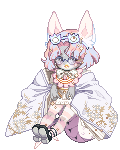
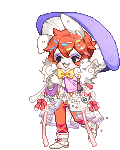
new avi! wanted to play with muted colors more. didn't want to cover the chest fur at all, and tho i had a shirt with an open collar that didn't, it just looked better without.
idk how to export item list, i think i should go ask around...
new avi! wanted to play with muted colors more. didn't want to cover the chest fur at all, and tho i had a shirt with an open collar that didn't, it just looked better without.
idk how to export item list, i think i should go ask around...
I absolutely adore this!
If you want to grab the equip list in the normal Customize Avatar screen, it's the yellow "Get BBCode" button beneath the equips. If you're using Avi Builder, there's a BBCode section and you can pick Male, Female, or Paw and that gives you the same output as what's in the Customize Avatar screen.
new avi! wanted to play with muted colors more. didn't want to cover the chest fur at all, and tho i had a shirt with an open collar that didn't, it just looked better without.
idk how to export item list, i think i should go ask around...
I absolutely adore this!
If you want to grab the equip list in the normal Customize Avatar screen, it's the yellow "Get BBCode" button beneath the equips. If you're using Avi Builder, there's a BBCode section and you can pick Male, Female, or Paw and that gives you the same output as what's in the Customize Avatar screen.
screenshots:
oh that's odd! Those buttons don't exist for me at all. No wonder I couldn't figure it out... but thank you for telling me!! heart
edit: the one in the avatar builder does exist!!! not the one in the avatar one tho. but yeah had to triple check. thank you for telling me!!






 .
.  .
. 


